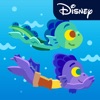
Pixar Stickers: Luca
Pixar Stickers: Luca is #146 in Entertainment Paid in United States and charting in 1 of 24 countries we track.
Updated 27 Sep 2026 · rankings refresh through the day
DeveloperDisney
CategoryEntertainment
Price1.99 USD
Released
Rating★ 5.0 (22)
Version1.0
Age rating4+
First seen by us 27 Sep 2026
27 Sep 2026Installs (est.)1k+ worldwide
Rating
5.0 ★
22 ratings
Measured
Best rank now
#146
Entertainment PaidMeasured
Pixar Stickers: Luca on the App Store
App details
App ID
1566955108
Publisher
Disney Electronic Content, Inc.
Minimum OS
iOS 10.0+
Content rating
4+
Languages
1
EN
Size
22 MB
Pixar Stickers: Luca downloads
Worldwide, per day, and installs to date. The band is open; the exact number is free with an account.
How this is calculated
Apple publishes no download counts. iPhone downloads come from chart positions and daily rating growth per country, calibrated on Google Play install counts; lifetime installs from ratings worldwide × installs per rating. Confidence is the chance the real number is within half to double ours.
Where Pixar Stickers: Luca's downloads come from Modelled
Last 30 days: organic search, browsing the store, features and paid ads.
Active users
All platforms, worldwide. Free with an account.
Stickiness (DAU / MAU)
how many monthly users open it on a given day
How this is calculated
Monthly users come from lifetime installs across every store, fitted on monthly active user figures companies publish; daily users = monthly × the typical daily/monthly ratio for the category. Confidence is the chance the real number is within half to double ours.
Business model: Paid app
How Pixar Stickers: Luca makes money: subscriptions, one-off purchases and ads.
Own ad business
Where it ranks now
Every top chart it appears in across 24 countries.
| Country | Charts | Rank |
|---|---|---|
| United States | EntertainmentPaid | #146 |
Apps near Pixar Stickers: Luca on the chart
Entertainment Paid, around #146.








Ratings
App Store, worldwide.
Rating
5.0 ★
22 ratings
Measured
Ratings
22
Measured
About Pixar Stickers: Luca
Greetings from Portorosso! Add the colorful sights of Italy to your messages with 21 new stickers for iMessage inspired by Disney and Pixar’s Luca. Stream Luca June 18 only on Disney+.
Stickers Include:
- Luca - Ciao!
- Luca and Alberto - Peek Up
- Luca and Alberto - Swimming
- Luca - Waving
- Luca - Embarrassed
- Luca - Grazie!
- Luca - Silenzio Bruno
- Alberto - Yay!
- Luca & Alberto - Dancing
- Giulia - Wow!
- Giulia - Fish in Your Face
- Trio - BFF
- Trio - Let’s Go!
- Trio - Eating Watermelon “Yum!”
- Trio - Wish You Were Here
- Gelato
- Massimo/Machievelli - Love “Ti Amo”
- Machievelli - Suspicious
- Daniela - Dolphin Call
- Aragosta Sisters - Side Eye
- Icon - Stamp of Portorosso
• Access iMessage apps—Tap the App Store icon beside the chat field to see your most recently used iMessage app.
• Find new stickers—First tap the App Store icon, then tap the 4-ovals icon in the lower left to bring up the app drawer. Then, tap the + icon to access the Store.
• Use stickers in chat—Tap to send, or touch and hold to put stickers on top of a bubble, other stickers, photos, and videos.
• iPhone & iPad users (iOS 10)—Transform your chat with animated stickers! Earlier iOS versions and other platforms will see static stickers in chat.
Privacy Policy - https://disneyprivacycenter.com
Terms of Use - https://disneytermsofuse.com
Do Not Sell My Info - https://privacy.thewaltdisneycompany.com/en/dnsmi/
Your California Privacy Rights - https://privacy.thewaltdisneycompany.com/en/current-privacy-policy/your-california-privacy-rights/
Stickers Include:
- Luca - Ciao!
- Luca and Alberto - Peek Up
- Luca and Alberto - Swimming
- Luca - Waving
- Luca - Embarrassed
- Luca - Grazie!
- Luca - Silenzio Bruno
- Alberto - Yay!
- Luca & Alberto - Dancing
- Giulia - Wow!
- Giulia - Fish in Your Face
- Trio - BFF
- Trio - Let’s Go!
- Trio - Eating Watermelon “Yum!”
- Trio - Wish You Were Here
- Gelato
- Massimo/Machievelli - Love “Ti Amo”
- Machievelli - Suspicious
- Daniela - Dolphin Call
- Aragosta Sisters - Side Eye
- Icon - Stamp of Portorosso
• Access iMessage apps—Tap the App Store icon beside the chat field to see your most recently used iMessage app.
• Find new stickers—First tap the App Store icon, then tap the 4-ovals icon in the lower left to bring up the app drawer. Then, tap the + icon to access the Store.
• Use stickers in chat—Tap to send, or touch and hold to put stickers on top of a bubble, other stickers, photos, and videos.
• iPhone & iPad users (iOS 10)—Transform your chat with animated stickers! Earlier iOS versions and other platforms will see static stickers in chat.
Privacy Policy - https://disneyprivacycenter.com
Terms of Use - https://disneytermsofuse.com
Do Not Sell My Info - https://privacy.thewaltdisneycompany.com/en/dnsmi/
Your California Privacy Rights - https://privacy.thewaltdisneycompany.com/en/current-privacy-policy/your-california-privacy-rights/
Latest updates
1.0