17 Clock - StandBy Widgets
Not in any tracked top chart right now.
Updated 25 Oct 2026 · rankings refresh through the day
DeveloperSoCloud Technology Co., Limited
CategoryLifestyle
PriceFree
Released
Rating★ 2.0 (2)
Version1.0.1
Age rating4+
First seen by us 24 Oct 2026
24 Oct 2026Rating
2.0 ★
2 ratings
Measured
17 Clock - StandBy Widgets on the App Store
App details
App ID
6463578061
Publisher
SoCloud Technology Co., Limited
On the store since
Sep 2023
3 years on the store
Minimum OS
iOS 16.1+
iPhone 8 and later
Devices
iPhone · iPad
Content rating
4+
Languages
1
EN
Size
69 MB
Where it ranks now
Every top chart it appears in across 30 countries.
| Country | Charts | Rank |
|---|---|---|
| Not charting right now. | ||
Ratings
App Store, worldwide.
Rating
2.0 ★
2 ratings
Measured
Ratings
2
Measured
About 17 Clock - StandBy Widgets
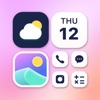
Make your screen look unique with 17 Clock the most powerful Widget creator ever! Use the awesome editor to create you own designs and display any data you need.
Here are its main features:
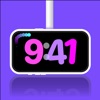
Colorful Styles: It comes with six different clock designs, so you can choose the one you like.
Useful Tools: It can show you a calendar, a countdown timer, how much battery is left, and even a virtual pet. It's not just pretty; it's practical too!
Home Screen Widget: Once you add it to your home screen, you don't need to open the app. It's ready to use when you charge your device.
Fun Animations: It has cool moving effects that make you feel the passing of time.
Surprises: You can tap the screen to find hidden surprises.
17 Clock has the following subscriptions:
$4.99/ week,
$17.99 / year.
Payment will be charged to your iTunes Account after purchase. Subscription automatically renews 24 hours before the end of the subscription period. Subscription types and prices remain the same. If you do not want to automatically renew your subscription, be sure to cancel your subscription at least 24-hours before it expires. After purchase, you can manually turn off auto-renewal in iTunes/Apple ID Settings Manager.
Term of use: https://dv7r5pxeq7iaa.cloudfront.net/standby_clock_term.html
Privacy Policy : https://dv7r5pxeq7iaa.cloudfront.net/standby_clock_privacy.html
Here are its main features:
Colorful Styles: It comes with six different clock designs, so you can choose the one you like.
Useful Tools: It can show you a calendar, a countdown timer, how much battery is left, and even a virtual pet. It's not just pretty; it's practical too!
Home Screen Widget: Once you add it to your home screen, you don't need to open the app. It's ready to use when you charge your device.
Fun Animations: It has cool moving effects that make you feel the passing of time.
Surprises: You can tap the screen to find hidden surprises.
17 Clock has the following subscriptions:
$4.99/ week,
$17.99 / year.
Payment will be charged to your iTunes Account after purchase. Subscription automatically renews 24 hours before the end of the subscription period. Subscription types and prices remain the same. If you do not want to automatically renew your subscription, be sure to cancel your subscription at least 24-hours before it expires. After purchase, you can manually turn off auto-renewal in iTunes/Apple ID Settings Manager.
Term of use: https://dv7r5pxeq7iaa.cloudfront.net/standby_clock_term.html
Privacy Policy : https://dv7r5pxeq7iaa.cloudfront.net/standby_clock_privacy.html
Latest updates
1.0.1
Bug fixed.