Alarm Night Clock Lite Downloads & RevenueAlarm Night Clock Lite · App Store
Not in any tracked top chart right now.
Updated 8 Nov 2026 · rankings refresh through the day
DeveloperHana Mobile
CategoryProductivity
PriceFree
Released
Rating★ 4.3 (8)
Version1.3.4
Age rating4+
First seen by us 23 Oct 2026
Alarm Night Clock Lite update history & changes
Last change · 3 events since 31 Jul 2009Full timeline ↓Full timeline · 2 events in the last 12 months
- 🆕Alarm Night Clock Lite first spotted by AppInsiderCanada (found via developer)
- 🆕Alarm Night Clock Lite released on the App Store
Collected from the stores by AppInsider since we first spotted the app. Dates are when we saw each change.
Rating
4.3 ★
8 ratings
Measured
Alarm Night Clock Lite on the App Store
App details
App ID
324670376
Publisher
Hana Mobile LLC
On the store since
Jul 2009
17 years on the store
Minimum OS
iOS 4.3+
Devices
iPhone · iPad · Watch
Content rating
4+
Languages
7
EN FR DE IT JA ZH ZH
Size
3 MB
Also listed in
Utilities
Where it ranks now
Every top chart it appears in across 30 countries.
| Country | Charts | Rank |
|---|---|---|
| Not charting right now. | ||
Ratings
App Store, worldwide.
Rating
4.3 ★
8 ratings
Measured
Ratings
8
Measured
About Alarm Night Clock Lite
High definition UI for iPhone5/iPhone4!!
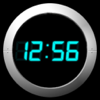
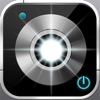
Want to turn your iphone/ipod touch on the night stand as a clock? Want to customize its color and theme? This free clock provides all you want: multiple alarms, vibration alarm, weekday/weekend repeat settings, digital/analog theme, color, time/date format, auto-dim, portrait/landscape mode, travel time zone mode. It even comes with a bonus flashlight! This is the free version of "Alarm Night Clock" which also provides more functions like music alarms and music sleep timer.
** ALARM **
- Multiple alarms
- Alarm in iPhone sleep and silent mode
- Weekday/weekend repeat settings
- Vibration alarm
- Non-stop alarm
- Whole-screen touch snooze
- Customize snooze interval
- Customize alarm duration
- 7 built-in alarm sounds
** CLOCK **
- More than 16,000,000 colors
- Portrait and landscape modes
- Screen auto dim, tap to see the time
- Four beautiful Digital/Analog themes
- Show/hide seconds, AM/PM
- Show/hide date, weekday
- 12/24 hour format
- Disable/enable auto-lock
- Optional Travel time zone mode
- Slide finger up/down to adjust brightness
- Compatible with iPhone 2.0, 2.1, 2.2.1 and 3.0
** FLASHLIGHT **
- Double tap to turn on
- Tap again to turn off
** HINTS **
- Slide your finger up/down to adjust brightness
- Enable auto-dim to save battery
- Recommended to keep iPhone on external power
** FAQ **
- Q: How to adjust the backlight (background glowing)?
A: Go to iPhone Settings->Brightness to adjust backlight.
- Q: Why doesn't alarm go off?
A: Like all alarm clocks in app store, the app must be running to use the alarm. Make sure the volume is not zero and repeat flag is set to everyday or any weekday you want.
** CONTACT US **
- Email [email protected]
- Website http://www.hanajobs.com/mobile
Latest updates
1.3.4
- Support for iPhone5 and iOS6