AR Sketch - Trace Anything
Not in any tracked top chart right now.
Updated 24 Oct 2026 · rankings refresh through the day
DeveloperNikhil Viradiya
CategoryGraphics & Design
PriceFree
Released
Rating★ 4.6 (768)
Version5.0
Age rating4+
First seen by us 22 Oct 2026
22 Oct 2026Rating
4.6 ★
768 ratings
Measured
AR Sketch - Trace Anything on the App Store
App details
App ID
6453163710
Publisher
Nikhil Viradiya
On the store since
Aug 2023
3 years on the store
Minimum OS
iOS 14.0+
iPhone 6s and later
Devices
iPhone · iPad
Universal purchase
Content rating
4+
Languages
1
EN
Size
160 MB
Also listed in
Reference
Where it ranks now
Every top chart it appears in across 30 countries.
| Country | Charts | Rank |
|---|---|---|
| Not charting right now. | ||
Ratings
App Store, worldwide.
Rating
4.6 ★
768 ratings
Measured
Ratings
768
Measured
About AR Sketch - Trace Anything
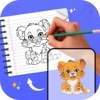
Having AR Drawing App is like always having a sheet of tracing paper with you! Choose any image you'd like to draw, take a photo, or choose from hundreds of images supplied in the app; then look at your screen while you trace the image on paper! an you can draw it!
The app typically includes a variety of features such as the ability to adjust line thickness, change the color of the trace, and add text or other graphical elements to the drawing. Some trace drawing apps also offer the option to import and trace images from the user's device or from the internet. These apps can be useful for artists and designers looking to create quick sketches or concept art, or for students learning to draw by copying the work of others.
So how does it works?
- Select an image from the Photos app or capture an image with a camera then just apply the filter. After that, you will see that image on the camera screen with transparency & you have to put drawing paper or book anything on which you want to trace and draw. Your image will not appear on paper but a transparent image with camera so that you can trace it on paper.
- Draw on paper by looking at the phone with a transparent image.
- Select any image and convert it to a tracing image.
Disclaimer :
This app does not involve the use of any unauthorized copyrighted or proprietary material.
If you come across any content that raises concerns or potential copyright infringement, please contact us immediately via [email protected]
For more information :-
Privacy Policy - https://sites.google.com/view/nikhilviradiyaprivacypolicy/home
Terms of use - https://sites.google.com/view/nikhilviradiyaprivacypolicy/home
The app typically includes a variety of features such as the ability to adjust line thickness, change the color of the trace, and add text or other graphical elements to the drawing. Some trace drawing apps also offer the option to import and trace images from the user's device or from the internet. These apps can be useful for artists and designers looking to create quick sketches or concept art, or for students learning to draw by copying the work of others.
So how does it works?
- Select an image from the Photos app or capture an image with a camera then just apply the filter. After that, you will see that image on the camera screen with transparency & you have to put drawing paper or book anything on which you want to trace and draw. Your image will not appear on paper but a transparent image with camera so that you can trace it on paper.
- Draw on paper by looking at the phone with a transparent image.
- Select any image and convert it to a tracing image.
Disclaimer :
This app does not involve the use of any unauthorized copyrighted or proprietary material.
If you come across any content that raises concerns or potential copyright infringement, please contact us immediately via [email protected]
For more information :-
Privacy Policy - https://sites.google.com/view/nikhilviradiyaprivacypolicy/home
Terms of use - https://sites.google.com/view/nikhilviradiyaprivacypolicy/home
Latest updates
5.0
- Enhanced user performance.