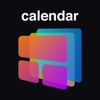
Calendar Widget for iPhone
Not in any tracked top chart right now.
Updated 22 Oct 2026 · rankings refresh through the day
DeveloperSMART WIDGET LABS COMPANY LIMITED
CategoryProductivity
PriceFree
Released
Rating★ 4.6 (8)
Version2.2
Age rating4+
First seen by us 20 Oct 2026
20 Oct 2026Rating
4.6 ★
8 ratings
Measured
Calendar Widget for iPhone on the App Store
App details
App ID
1532740945
Publisher
SMART WIDGET LABS COMPANY LIMITED
On the store since
Sep 2020
6 years on the store
Minimum OS
iOS 14.0+
iPhone 6s and later
Devices
iPhone · iPad
Content rating
4+
Languages
1
EN
Size
120 MB
Also listed in
Lifestyle
Where it ranks now
Every top chart it appears in across 30 countries.
| Country | Charts | Rank |
|---|---|---|
| Not charting right now. | ||
Ratings
App Store, worldwide.
Rating
4.6 ★
8 ratings
Measured
Ratings
8
Measured
About Calendar Widget for iPhone
Add stylish calendar widgets directly onto your phone home screen. Fully customize calendar widgets on your home screen with your own choice of backgrounds, text colors and fonts.
With simple and clean design, we makes Calendar Widget app as easy for you to customize as possible. Personalized your home screen with an unique calendar widget with just a few steps.
Customizing and Styling Widget On Home Screen.
Many calendar styles to display calendar on your home screens
Easily design your own widget with Calendar Widget for iPhone:
– Fully customized widget background, text color and fonts.
– Upload our photo for widget background with customizable text color and fonts.
– Able to activate many widgets at the same time on home screen.
– Support all three widget sizes to lets you take full advantage control the whole space of your home screen.
• User can subscribe one week (USD 2.99$) or one month (USD 4.99$), one year (USD 12.99$) auto-renewing subscription.
• Subscribed user has unlimited access to the app features & content.
• Unsubscribed user can only use free services with limited quota per day
• Payment will be charged to iTunes Account at confirmation of purchase.
• Subscription automatically renews unless auto-renew is turned off at least 24-hours before the end of the current period.
• The account will be charged for renewal within 24-hours prior to the end of the current period, and identify the cost of the renewal.
• Subscriptions may be managed by the user and auto-renewal may be turned off by going to the Setting > iTunes & App Store > Apple ID > manage subscription after purchase.
• Any unused portion of a free trial period, if offered, will be forfeited when the user purchases a subscription to that publication, where applicable.
* This app does not access to your calendar data on your device.
Terms of Use: http://vulcanlabs.co/terms-of-use/
Privacy Policy: http://vulcanlabs.co/privacy-policy/
You are welcome to contact us at [email protected]
With simple and clean design, we makes Calendar Widget app as easy for you to customize as possible. Personalized your home screen with an unique calendar widget with just a few steps.
Customizing and Styling Widget On Home Screen.
Many calendar styles to display calendar on your home screens
Easily design your own widget with Calendar Widget for iPhone:
– Fully customized widget background, text color and fonts.
– Upload our photo for widget background with customizable text color and fonts.
– Able to activate many widgets at the same time on home screen.
– Support all three widget sizes to lets you take full advantage control the whole space of your home screen.
• User can subscribe one week (USD 2.99$) or one month (USD 4.99$), one year (USD 12.99$) auto-renewing subscription.
• Subscribed user has unlimited access to the app features & content.
• Unsubscribed user can only use free services with limited quota per day
• Payment will be charged to iTunes Account at confirmation of purchase.
• Subscription automatically renews unless auto-renew is turned off at least 24-hours before the end of the current period.
• The account will be charged for renewal within 24-hours prior to the end of the current period, and identify the cost of the renewal.
• Subscriptions may be managed by the user and auto-renewal may be turned off by going to the Setting > iTunes & App Store > Apple ID > manage subscription after purchase.
• Any unused portion of a free trial period, if offered, will be forfeited when the user purchases a subscription to that publication, where applicable.
* This app does not access to your calendar data on your device.
Terms of Use: http://vulcanlabs.co/terms-of-use/
Privacy Policy: http://vulcanlabs.co/privacy-policy/
You are welcome to contact us at [email protected]
Latest updates
2.2
Thanks for continuously supporting Calendar Widget. This update includes fixing bugs to improve app.
More from SMART WIDGET LABS COMPANY LIMITED
 AI+ Chat: AI Chatbot Assistant
 WatchKey: Keyboard for Watch
 Podcast Maker: Audio Editor
 Pro Widget : Color Widgets
 Sticky Notes Widget+
 Clock Widget: Custom Clock App
 Photo Widget: Picture Widgets
 Battery Widget & Color Widgets
 Stress & Heart Rate Monitor
 GBA Emulator - Retro Games
 Go Fly for DJI Drones
 Drama Reels - Short Wave Box