Color Drawing Downloads & RevenueColor Drawing - Coloring Book · App Store
Not in any tracked top chart right now.
Updated 11 Nov 2026 · rankings refresh through the day
Developer宁 桂
CategoryEducation
PriceFree
Released
Rating★ 4.0 (82)
Version3.2
Age rating4+
First seen by us 12 Oct 2026
Color Drawing - Coloring Book update history & changes
Last change · 3 events since 3 Nov 2015Full timeline ↓Full timeline · 2 events in the last 12 months
- 🆕Color Drawing - Coloring Book first spotted by AppInsiderUnited States (found via search)
- 🆕Color Drawing - Coloring Book released on the App Store
Collected from the stores by AppInsider since we first spotted the app. Dates are when we saw each change.
Rating
4.0 ★
82 ratings
Measured
Color Drawing - Coloring Book on the App Store
App details
App ID
1042205082
Publisher
宁 桂
On the store since
Nov 2015
11 years on the store
Minimum OS
iOS 7.0+
Devices
iPhone · iPad
Universal purchase
Content rating
4+
Languages
7
EN FR PT RU ZH ES ZH
Size
40 MB
Also listed in
Lifestyle
Where it ranks now
Every top chart it appears in across 30 countries.
| Country | Charts | Rank |
|---|---|---|
| Not charting right now. | ||
Ratings
App Store, worldwide.
Rating
4.0 ★
82 ratings
Measured
Ratings
82
Measured
About Color Drawing - Coloring Book
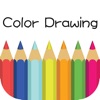
Coloring book is full of fun and beautiful pictures, is made up of amazing flowers, tranquil blue sea and magical fantasy. and all the views can be made by your imagination. When coloring the pictures, you can also get released from pressure. There is a lot of blank space for you to enjoying painting. Get the latest and most unusual applications, enjoy the coffe time in afternoon, move your fingertip to make it colorful.
Features:
1. Nearly hundreds of carefully selected patterns.
2. The pen color can be any color you want
3. Painting you created is alway show up to date
4. Has many functions, amplification, revocation, redraw, save, share and so on, to help you create unique works.
How-to:
1. Click the brush to choose your favorite color
2. Click the canvas to coloring the location choosed.
3. You can store the most recently used pen color.
4. Zoom in the canvas anytime.
5. Revocation and re-start can be used.
Latest updates
3.2
bug fixed
More from 宁 桂
 Color Tiles 2 - Don't Tap the Difference Block
 Star Crush - Pocket Puzzle Guy
 Rush Traffic -Block Jam Master
 Diamond Link -Match Two Number
 Bubble Shooter Mania App - School Boy Times Now
 Spiderette Patience - Can You Merged Klondike Card
 Gomoku Chess - Renju Switch, Color Goban,5 Stones Game
 Majong - Viewed My Happy School Target Game
 我的盒子世界 - 全民都爱玩的创造模式沙盒中文版免费游戏
 스마트 단어 찾기의 (Word Search, Find/Seek Words)
 Circle Line - Prime School Puzzle Go Crazy Loop Now
 坦克世界 - 建造我的沙盒武器游戏 免费中文版2