DART Sim Downloads & RevenueDART Sim · App Store
Not in any tracked top chart right now.
Updated 1 Nov 2026 · rankings refresh through the day
DeveloperSTAR CPR San Diego
CategoryMedical
Price999.00 MXN
Released
Rating★ 3.1 (14)
Version12.9
Age rating4+
First seen by us 28 Sep 2026
📦Updated to version 12.9✏️Age rating changed📦First update in 4019 days🆕First spotted by AppInsider🆕Released on the App Store
Full timeline · 9 events in the last 12 months
- ✏️DART Sim added 1 language+ ES
- 📦DART Sim updated to version 12.9Now in Spanish
• The whole app runs in Spanish when the iPad is set to Spanish, using the terms of real Spanish-market monitors (FC, PNI, FR, RCP, DEA). Gear → Language opens the per-app language setting.
• Units by country: temperature in °F or °C, EtCO2 in mmHg or kPa, compression depth in cm or inches.
Live CPR feedback from a SimCPR chest pad
• Pair a SimCPR chest pad or wrist band over Bluetooth (gear → SimCPR Pad). The CPR window shows the learner's real compression rate and depth, a perfusion heart that fills as depth and rate come onto target, and a strip of compression bars that grows across the window one bar per compression, green on target and amber off.
• CCF now behaves like perfusion: good compressions build it, poor ones hold it down, and it drains while hands are off, so it has to be rebuilt after every pause.
• Adaptive metronome, as on a ZOLL with a compression sensor: silent while the measured rate is 100–120, clicking at 110 only when the learner drifts.
• Compressions on the pad are timestamped in Code Track, and the new End CPR key closes the arrest and writes one summary line with start and end time, compression time and the average CCF.
CPR window on every device look
• The CPR window now slides in between the traces and the controls on the Classic, LIFEPAK 35 and ZOLL looks alike, opening when CPR starts or a pad links. Classic gets a CPR soft key, LIFEPAK a CPR footer key; ZOLL keeps its R key. The code timer sits beside DEPTH.
• On the Classic look the ECG and EtCO2 lanes keep their full height while the window is open.
Monitor
• Classic look: LEAD pill beside CALIPERS cycles the monitoring lead through I–III, aVR–aVF, V1–V6 and PADS, like the ZOLL Lead key.
• LIFEPAK 35: the NIBP INTERVAL pill now works, cycling OFF, 2, 3, 5, 10, 15, 30 and 60 minutes for automatic blood pressures, each logged to Code Track. The heart rate stays visible while pacing.
• The blood pressure alarm has its own tone, recorded from a real monitor, instead of sharing the heart-rate tone.
• Tap anywhere outside the instructor menu to close it.
Fixes
• Reset now clears Code Track on all three looks.
• The instructor menu fits the 10.2-inch iPad again and no longer shifts the ZOLL display.
• Fixed a crash when the app was launched while the iPad was locked.… more - ✏️DART Sim: age rating changed12+ → 4+
- ✏️DART Sim: app got smaller25 MB → 21 MB (-15%)
- ✏️DART Sim: needs a newer iOSiOS 7.0 → iOS 16.4
- 📦DART Sim: first update in 4019 days
- 📦DART Sim updated to version 12.6Scenario library rebuilt to the American Heart Association 2025 Guidelines: 71 ACLS learning-station cases, 12 ACLS MegaCodes and 30 PALS cases replace the 2020 set. The Scenarios picker now has tabs for ACLS, PALS, NRP and your own scenarios, with search, custom tabs, and an Import button that reads DART Sim JSON and legacy .dartsim files.
Transmit the 12-lead to a hospital: enter patient information as on the real device, read the report header with intervals and interpretation, and send to a destination from the instructor's list. Transmissions are simulated and logged to Code Track, and the instructor can make one fail so the crew retries.
Instructors set the pacer output at which capture appears, or block capture entirely.
New systolic blood pressure alarm with adjustable limits. SpO2 alarms now sound alongside heart-rate alarms instead of being silenced by them.
Alarm silence in the LIFEPAK look, and a menu for Scenarios, Code Track and User Guides in the ZOLL look.
Fixed sync markers while pacing, and the ECG sweeping too slowly after a manual rhythm change during a scenario.… more - 🆕DART Sim first spotted by AppInsider#39 in Top Paid · All Apps · Mexico
- 🆕DART Sim released on the App Store
Collected from the stores by AppInsider since we first spotted the app. Dates are when we saw each change.
Rating
3.1 ★
14 ratings
Measured
DART Sim on the App Store
App details
App ID
427133086
Publisher
Erik DeAnda
On the store since
Mar 2011
15 years on the store
Minimum OS
iOS 16.4+
Devices
iPad
Content rating
4+
Languages
2
EN ES
Size
22 MB
Also listed in
Education
Where it ranks now
Every top chart it appears in across 30 countries.
| Country | Charts | Rank |
|---|---|---|
| Not charting right now. | ||
Ratings
App Store, worldwide.
Rating
3.1 ★
14 ratings
Measured
Ratings
14
Measured
About DART Sim
Turn an iPad into a realistic cardiac monitor and defibrillator for simulation training. DART Sim gives instructors a patient they can control, and gives learners a device that looks, sounds and behaves like the one in the room.
WHY INSTRUCTORS CHOOSE DART SIM
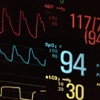
• Realistic from the first beat. Four waveform lanes with ECG, arterial pressure, pulse oximetry and capnography. Pulse tone that drops in pitch with saturation. Alarms that blink and sound. Values that read "--" until the patient is connected, and go flat when the rhythm is pulseless.
• 37 rhythms at your fingertips. From normal sinus to VF, torsades, heart blocks, pacing capture and post-shock conversion. Choose the rhythm the patient converts to after the next shock, or keep them in arrest.
• A real defibrillator workflow. Select energy, charge, stand clear, shock. Synchronized cardioversion with sense markers that waits for the R wave.
• Transcutaneous pacing you control. Demand pacing with a capture threshold you set: decide the output at which the patient captures, or make them refuse to capture at any output. Learners have to find capture on the ECG, not assume it.
• AED mode. Push ANALYZE and the device talks learners through STAND CLEAR, SHOCK ADVISED or NO SHOCK ADVISED, charging, and a CPR interval with metronome, following manufacturer energy protocols.
• CPR feedback. Compression rate, chest compression fraction, depth and release, with a code timer that keeps running through pauses so debriefs have numbers to point at.
• Three device looks. Keep the classic DART Sim monitor, or switch to a face modelled on the Stryker LIFEPAK 35 or the ZOLL X Series Advanced, each with its own energy ladder, pacing ranges and AED protocol. The patient, scenarios and controls are identical in all three, so one case works for every department.
• Teach rhythm interpretation on screen. Tap the ECG for a true-scale paper grid or a printed-strip view, freeze the trace, then measure intervals with on-screen calipers and march lines.
BUILT FOR THE CLASSROOM
• 122 built-in scenarios covering ACLS, PALS and NRP, each stepping rhythm, vitals, capnogram and chest X-ray on a timer or at the instructor's pace. Change the rhythm by hand at any point and the scenario carries on. Build and save your own in the scenario editor.
• Medication log with 38 drugs, routes and doses, plus an automatic code record of every rhythm change, shock, pacing change and NIBP reading for debriefing. Add your own medications or actions. You can also create tabs to organize medications by course.
• 12-lead tracings for 26 rhythms, 20 chest X-rays, and your own photos from the camera roll attached to any rhythm.
• Instructor controls that stay out of sight. A discreet gear menu, a hardware keyboard shortcut card, and the free DART Sim Remote app so you can run the patient from across the room over Bluetooth.
• Built-in User Manual and keyboard shortcut card that you can read in the app, print, or share.
• Works on
Latest updates
12.9
Now in Spanish
• The whole app runs in Spanish when the iPad is set to Spanish, using the terms of real Spanish-market monitors (FC, PNI, FR, RCP, DEA). Gear → Language opens the per-app language setting.
• Units by country: temperature in °F or °C, EtCO2 in mmHg or kPa, compression depth in cm or inches.
Live CPR feedback from a SimCPR chest pad
• Pair a SimCPR chest pad or wrist band over Bluetooth (gear → SimCPR Pad). The CPR window shows the learner's real compression rate and depth, a perfusion heart that fills as depth and rate come onto target, and a strip of compression bars that grows across the window one bar per compression, green on target and amber off.
• CCF now behaves like perfusion: good compressions build it, poor ones hold it down, and it drains while hands are off, so it has to be rebuilt after every pause.
• Adaptive metronome, as on a ZOLL with a compression sensor: silent while the measured rate is 100–120, clicking at 110 only when the learner drifts.
• Compressions on the pad are timestamped in Code Track, and the new End CPR key closes the arrest and writes one summary line with start and end time, compression time and the average CCF.
CPR window on every device look
• The CPR window now slides in between the traces and the controls on the Classic, LIFEPAK 35 and ZOLL looks alike, opening when CPR starts or a pad links. Classic gets a CPR soft key, LIFEPAK a CPR footer key; ZOLL keeps its R key. The code timer sits beside DEPTH.
• On the Classic look the ECG and EtCO2 lanes keep their full height while the window is open.
Monitor
• Classic look: LEAD pill beside CALIPERS cycles the monitoring lead through I–III, aVR–aVF, V1–V6 and PADS, like the ZOLL Lead key.
• LIFEPAK 35: the NIBP INTERVAL pill now works, cycling OFF, 2, 3, 5, 10, 15, 30 and 60 minutes for automatic blood pressures, each logged to Code Track. The heart rate stays visible while pacing.
• The blood pressure alarm has its own tone, recorded from a real monitor, instead of sharing the heart-rate tone.
• Tap anywhere outside the instructor menu to close it.
Fixes
• Reset now clears Code Track on all three looks.
• The instructor menu fits the 10.2-inch iPad again and no longer shifts the ZOLL display.
• Fixed a crash when the app was launched while the iPad was locked.
12.6
Scenario library rebuilt to the American Heart Association 2025 Guidelines: 71 ACLS learning-station cases, 12 ACLS MegaCodes and 30 PALS cases replace the 2020 set. The Scenarios picker now has tabs for ACLS, PALS, NRP and your own scenarios, with search, custom tabs, and an Import button that reads DART Sim JSON and legacy .dartsim files.
Transmit the 12-lead to a hospital: enter patient information as on the real device, read the report header with intervals and interpretation, and send to a destination from the instructor's list. Transmissions are simulated and logged to Code Track, and the instructor can make one fail so the crew retries.
Instructors set the pacer output at which capture appears, or block capture entirely.
New systolic blood pressure alarm with adjustable limits. SpO2 alarms now sound alongside heart-rate alarms instead of being silenced by them.
Alarm silence in the LIFEPAK look, and a menu for Scenarios, Code Track and User Guides in the ZOLL look.
Fixed sync markers while pacing, and the ECG sweeping too slowly after a manual rhythm change during a scenario.
7.8
Bug fix for Heart Rates above 100
Bug fix for SPO2 set to 100
Store changes
What DART Sim changed on its store page: name, icon, screenshots, price, size, languages, requirements.
Added 1 language
+ ES
Age rating changed
12+ → 4+
App got smaller
25 MB → 21 MB (-15%)