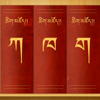
Dungkar Dictionary Downloads & RevenueDungkar Dictionary · App Store
Dungkar Dictionary is #193 in Reference Free in China and charting in 1 of 30 countries we track.
Updated 8 Nov 2026 · rankings refresh through the day
DeveloperPhurba
CategoryReference
PriceFree
Released
Rating★ 4.3 (223)
Version1.2
Age rating4+
First seen by us 8 Nov 2026
Full timeline · 2 events in the last 12 months
- 🆕Dungkar Dictionary first spotted by AppInsider#93 in Top Free · Reference · China
- 🆕Dungkar Dictionary released on the App Store
Collected from the stores by AppInsider since we first spotted the app. Dates are when we saw each change.
Rating
4.3 ★
223 ratings
Measured
Best rank now
#193
Reference FreeMeasured
Dungkar Dictionary on the App Store
App details
App ID
1291201750
Publisher
Tim Lewis
On the store since
Jul 2019
7 years on the store
Minimum OS
iOS 9.0+
iPhone 4s and later
Devices
iPhone · iPad
Universal purchase
Content rating
4+
Languages
3
EN ZH BO
Size
39 MB
Also listed in
Education
Where Dungkar Dictionary's downloads come from Modelled
Last 30 days: organic search, browsing the store, features and paid ads.
Where it ranks now
Every top chart it appears in across 30 countries.
| Country | Charts | Rank |
|---|---|---|
| China | ReferenceFree | #193 |
Apps near Dungkar Dictionary on the chart
Reference Free, around #193.






Ratings
App Store, worldwide.
Rating
4.3 ★
223 ratings
Measured
Ratings
223
Measured
About Dungkar Dictionary
The Dungkar Dictionary is an electronic version of the Great Dungkar Tibetan Dictionary.
Words and definitions can be searched for in both english and tibetan, taking advantage of the Tibetan language support built-in to iOS.
If you have our Tibetan Dictionary app installed, you will be able to search the Dungkar Dictionary within that app as well. This requires the Dungkar Dictionary app to be opened at least once after it has been installed.
To type using tibetan script, you need to turn on the tibetan keyboard in the main Settings app:
Settings > General > Keyboard > Keyboards > Add New Keyboard...
You can then select the Tibetan keyboard by tapping the 'world' icon on the keyboard, next to the spacebar.
Latest updates
1.2
* improvements to dark mode