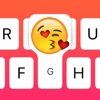
Emojo Downloads & RevenueEmojo - Emoji Search Keyboard - Search Emojis By Keyboard · App Store
Not in any tracked top chart right now.
Updated 9 Nov 2026 · rankings refresh through the day
DeveloperRonan Stark
CategoryUtilities
PriceFree
Released
Rating★ 3.8 (6)
Version3.1
Age rating4+
First seen by us 24 Oct 2026
Emojo - Emoji Search Keyboard - Search Emojis By Keyboard update history & changes
Last change · 3 events since 4 Feb 2016Full timeline ↓Full timeline · 2 events in the last 12 months
- 🆕Emojo - Emoji Search Keyboard - Search Emojis By Keyboard first spotted by AppInsiderUnited States (found via developer)
- 🆕Emojo - Emoji Search Keyboard - Search Emojis By Keyboard released on the App Store
Collected from the stores by AppInsider since we first spotted the app. Dates are when we saw each change.
Rating
3.8 ★
6 ratings
Measured
Emojo - Emoji Search Keyboard - Search Emojis By Keyboard on the App Store
App details
App ID
1079973328
Publisher
Ronan Stark
On the store since
Feb 2016
10 years on the store
Minimum OS
iOS 8.0+
iPhone 4s and later
Devices
iPhone · iPad
Universal purchase
Content rating
4+
Languages
1
EN
Size
17 MB
Also listed in
Entertainment
Where it ranks now
Every top chart it appears in across 30 countries.
| Country | Charts | Rank |
|---|---|---|
| Not charting right now. | ||
Ratings
App Store, worldwide.
Rating
3.8 ★
6 ratings
Measured
Ratings
6
Measured
About Emojo - Emoji Search Keyboard - Search Emojis By Keyboard
The keyboard that looks like the one you love but its pressure sensitive and supports emoji search!
Tap & Hold to send emojis right from the keyboard you're typing on.Search Emoji's with the keyboard you were just typing on. Never scroll to find an Emoji again. This means you'll never have to leave the keyboard to send your favorite emojis. (6s users can also use force touch to enable the emojis).
"The searchable Emoji's made me go wow, where has this been up till now?" - V3.0 Beta User
"It really changes the way i chat, it feels like an extension of the chat experience." - Alpha User Tester
Emoji Gives depth to your chatting experience. If you feel like you need to express more, hold down the key and you'll get the blinded emoji for that key.
Emojis have changed the way we communicate so we made a more expressive keyboard to help emoji get even more love!
How it works:
- You open the Emojo app and you'll see a keyboard layout with some emojis on it, there you can add and customize that keyboard and add your favorite emojis. Notice there are 26 emojis. 1 for each letter of the keyboard, the layout of the keyboard is the same as the layout of your iPhone's keyboard.
-Activate the custom keyboard
This will allow you to use the tap & hold feature to send emojis.
We know how great the regular iPhone keyboard is so we took care not to change much, you'll have all the functionality from the main keyboard but with the added features of the Emojo keyboard.
Keyboard activation instructions:
1)Settings -> 2) General -> 3) Keyboard -> 4) Keyboards -> 5) Add New Keyboard... -> 6) Select the Emojo Keyboard -> 7) Activate it using the globe key on your keyboard
-Tap&Hold
While chatting, simply hold a key longer and your assigned emoji will appear.
You can either tap&hold or use force touch if your device supports it.
-Searching Emoji's
Simply toggle the Emoji's ON by using the Emoji icon and you'll see all the emojis that you can scroll with your finger. Or search them by typing on the keyboard! The backspace key allows you to start a new Emoji search if you make a mistake or simply want to start a new search. When you insert an Emoji the bar automatically hides giving you back access to your keyboard!
We took care to keep all the functionality the original iPhone keyboard thus the emojis do not appear on the layout.
For feature requests,help,privacy or anything related contact us : [email protected]
App Video Preview Music Provided By: www.bensound.com
Latest updates
3.1
-Bug Fixes and Minor Improvements
More from Ronan Stark
 Black - Live Wallpapers
 Nebula - Live Wallpapers
 Gems - Prepare For Your Job Interview
 Instant Quote - Add the best quotes to your pictures instantly
 Fluid - Relax Meditate Sleep
 Flynt - Sync Effects To Music
 Time Tap - Video Recorder
 Fidget Wars: Battle Spinners Online
 Ink HD - Exclusive & Unique Wallpapers for iPad & iPad Pro
 Crypto Trader : Cryptocurrency
 Flow - A Decision Making Tool
 Hourglass - See how much you time you spend on activities compared with others