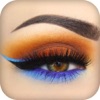
Eye Make Up Camera Photo Editor
Not in any tracked top chart right now.
Updated 25 Oct 2026 · rankings refresh through the day
DeveloperBhavik Savaliya
CategoryPhoto & Video
PriceFree
Released
Rating★ 3.7 (3)
Version1.0
Age rating4+
First seen by us 24 Oct 2026
24 Oct 2026Rating
3.7 ★
3 ratings
Measured
Eye Make Up Camera Photo Editor on the App Store
App details
App ID
1224886551
Publisher
Bhavik Savaliya
On the store since
Apr 2017
9 years on the store
Minimum OS
iOS 8.0+
iPhone 4s and later
Devices
iPhone · iPad
Universal purchase
Content rating
4+
Languages
1
EN
Size
36 MB
Also listed in
Lifestyle
Where it ranks now
Every top chart it appears in across 30 countries.
| Country | Charts | Rank |
|---|---|---|
| Not charting right now. | ||
Ratings
App Store, worldwide.
Rating
3.7 ★
3 ratings
Measured
Ratings
3
Measured
About Eye Make Up Camera Photo Editor
Eye Make Up Camera Photo Editor app helps you check how's you look in Different types of Eye Make Up. You can Try different Types of Eye Make Up instantly using this application. There are many types of Eye Make Up provided in this application.
Feature :
-> Eye Make Up Making is used to camera front end or back end effect.
-> Choose Eye Make Up from the given list.
-> 40+ offline free Eye Make Up provide by this app.
-> Save the best Eye Make Up pose in your phone.
-> Set Sticker OpaCity
->Add On Snap text
-> Add Photo As A Sticker
-> 15 + Filter Effects
-> Add Text On Photo
-> Crop Photo
-> Easy To Draw On Your Photo
-> 100 + Sticker
-> Blur Your Photo
-> Splash Effects On Photo
-> Set orientation
-> Set Saturation, Contrast, Sharpness
-> Set Bokeh Effects On Photo
-> Crop Photo On Different Shape
-> Finger Touch Free Crop
Feature :
-> Eye Make Up Making is used to camera front end or back end effect.
-> Choose Eye Make Up from the given list.
-> 40+ offline free Eye Make Up provide by this app.
-> Save the best Eye Make Up pose in your phone.
-> Set Sticker OpaCity
->Add On Snap text
-> Add Photo As A Sticker
-> 15 + Filter Effects
-> Add Text On Photo
-> Crop Photo
-> Easy To Draw On Your Photo
-> 100 + Sticker
-> Blur Your Photo
-> Splash Effects On Photo
-> Set orientation
-> Set Saturation, Contrast, Sharpness
-> Set Bokeh Effects On Photo
-> Crop Photo On Different Shape
-> Finger Touch Free Crop
Latest updates
1.0
More from Bhavik Savaliya
 Fields Area Measurement
 Flower Crown Photo Booth
 Crown Photo Montage
 QR Code Generator : Scanner
 Masquerade Camera Effect
 My Name Art - My Name On Pics
 MapCompass : Compass with Maps
 Pin Circle
 Drink Water Reminder - Daily water Drink Tracker
 Myanmar Keyboard : AI Keyboard
 Add Audio to Video - Add New, Remove, Change Music from video
 Photo Bokeh Effect