FlightSight Downloads & RevenueFlightSight · App Store
Not in any tracked top chart right now.
Updated 6 Nov 2026 · rankings refresh through the day
DeveloperTimothy Kelley
CategoryNavigation
Price1.99 USD
Released
Rating★ 5.0 (2)
Version4.0
Age rating4+
First seen by us 20 Oct 2026
Full timeline · 3 events in the last 12 months
- 📈FlightSight dropped out of every chart we trackLast seen 22 Oct
- 🆕FlightSight first spotted by AppInsider#50 in Top Paid · Navigation · United States
- 🆕FlightSight released on the App Store
Collected from the stores by AppInsider since we first spotted the app. Dates are when we saw each change.
Rating
5.0 ★
2 ratings
Measured
FlightSight on the App Store
App details
App ID
1266374148
Publisher
Timothy Kelley
On the store since
Aug 2017
9 years on the store
Minimum OS
iOS 15.6+
iPhone 6s and later
Devices
iPhone · iPad
Universal purchase
Content rating
4+
Languages
1
EN
Size
2 MB
Also listed in
Travel
Where it ranks now
Every top chart it appears in across 30 countries.
| Country | Charts | Rank |
|---|---|---|
| Not charting right now. | ||
Ratings
App Store, worldwide.
Rating
5.0 ★
2 ratings
Measured
Ratings
2
Measured
About FlightSight
FlightSight is an aviation sight level app. Its purpose is to help pilots determine whether their flight path is above or below distant objects. Position the sight target on cloud tops or bottoms, mountain passes or other aircraft and FlightSight will tell you if the object is higher or lower, and by how many degrees. FlightSight is a low budget HUD (Heads Up Display)! The FlightSight app can be used by holding the iPhone or iPad by hand. Or it can be mounted on the top of the instrument panel.
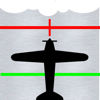
Four display modes can be selected when using FlightSight. Fixed target grid, fixed target grid and fixed level line, floating target grid and floating level line (shown here) or floating target grid only. FlightSight can be used on devices in either vertical (portrait) or horizontal (landscape) positions. Finger gestures can be used to zoom the FlightSight view in or out.
FlightSight also has a camera option. When you press the camera button the current image will be saved with all FlightSight information embossed on it.
Stop guessing, safe fuel, be safer … use FlightSight!
Use of FlightSight is not an FAA approved method or flight path navigation decisions. FlighSight does not replace good pilot judgement and accurate weather reports. FlightSight is simply a tool for helping pilots confirm their flight path decisions.
Latest updates
4.0
Minor formatting changes for new iPhone display dimensions.


