iMeasure! Downloads & RevenueiMeasure! · App Store
Not in any tracked top chart right now.
Updated 8 Nov 2026 · rankings refresh through the day
DeveloperKobi Snir
CategoryProductivity
PriceFree
Released
Rating★ 3.3 (4)
Version2.0
Age rating4+
First seen by us 24 Oct 2026
Full timeline · 2 events in the last 12 months
- 🆕iMeasure! first spotted by AppInsiderUnited States (found via developer)
- 🆕iMeasure! released on the App Store
Collected from the stores by AppInsider since we first spotted the app. Dates are when we saw each change.
Rating
3.3 ★
4 ratings
Measured
iMeasure! on the App Store
App details
App ID
767325687
Publisher
Kobi Snir
On the store since
Dec 2013
12 years on the store
Minimum OS
iOS 8+
iPhone 4s and later
Devices
iPhone · iPad
Universal purchase
Content rating
4+
Languages
1
EN
Size
9 MB
Also listed in
Entertainment
Where it ranks now
Every top chart it appears in across 30 countries.
| Country | Charts | Rank |
|---|---|---|
| Not charting right now. | ||
Ratings
App Store, worldwide.
Rating
3.3 ★
4 ratings
Measured
Ratings
4
Measured
About iMeasure!
User your device screen as a ruler or calibre, measure real objects in fun and interactive way...
* Explore metric or imperial units (mm or inch).
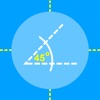
* Measure length, angle,radius & diameter .
How to use ? :
1. Place your device on a flat surface...
2. Place any object on the screen and select the relevant shape.
3. Click any control point and drag your finger across the screen.
4. Double click in order to select or deselect all control points.
5. Pinch the screen in order to scale the selected shape.
* Watch on YouTube :
https://www.youtube.com/watch?v=6n65TlH0xTg
* Please make sure to use screen protector in order to avoid scratches.
Latest updates
2.0
Supporting iOS 12
General improvements.