Let's Make Flipbook Cartoon Downloads & RevenueLet's Make Flipbook Cartoon · App Store
Not in any tracked top chart right now.
Updated 9 Nov 2026 · rankings refresh through the day
DeveloperKazuya Fujita
CategoryEntertainment
PriceFree
Released
Rating★ 2.8 (18)
Version1.0.5
Age rating4+
First seen by us 24 Oct 2026
Let's Make Flipbook Cartoon update history & changes
Last change · 3 events since 25 Sep 2018Full timeline ↓Full timeline · 2 events in the last 12 months
- 🆕Let's Make Flipbook Cartoon first spotted by AppInsiderUnited States (found via developer)
- 🆕Let's Make Flipbook Cartoon released on the App Store
Collected from the stores by AppInsider since we first spotted the app. Dates are when we saw each change.
Rating
2.8 ★
18 ratings
Measured
Let's Make Flipbook Cartoon on the App Store
App details
App ID
1437092079
Publisher
Kazuya Fujita
On the store since
Sep 2018
8 years on the store
Minimum OS
iOS 10.0+
iPhone 5 and later
Devices
iPhone · iPad
Universal purchase
Content rating
4+
Languages
2
EN JA
Size
22 MB
Also listed in
Simulation, Games, Puzzle
Where it ranks now
Every top chart it appears in across 30 countries.
| Country | Charts | Rank |
|---|---|---|
| Not charting right now. | ||
Ratings
App Store, worldwide.
Rating
2.8 ★
18 ratings
Measured
Ratings
18
Measured
About Let's Make Flipbook Cartoon
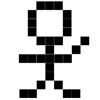
· You can draw a picture by tapping and filling a dot of 12 × 12 square.
· Tap the triangular arrow to move the page.
· At the moment, you can make flip cartoons of up to 150 pages.
● You can create not only Flipbook comic books, but also images such as countdown with numbers, bright and dazzling effects.
[Explanation of each button]
"play pages": Set the number of pages during playback.
"test play": Use it to check the movement of flip flops.
"save play": You can save the created flip flops.
"play speed": You can set the playback speed by moving the slider.
"show preview": Displays the dots one page earlier lightly.
"clear": Deletes all dots on the currently displayed page.
"clear all": Deletes the dots on all pages.
Please contact the review section or DM here.
https://twitter.com/corasck
Latest updates
1.0.5
Bug fixes and performance improvements.