MagicPenB Downloads & RevenueMagicPenB · App Store
Not in any tracked top chart right now.
Updated 7 Nov 2026 · rankings refresh through the day
DeveloperTTCX Inc.
CategoryGames
PriceFree
Released
Rating★ 3.5 (2)
Version1.5.5
Age rating4+
First seen by us 23 Oct 2026
Full timeline · 2 events in the last 12 months
- 🆕MagicPenB first spotted by AppInsiderUnited States (found via developer)
- 🆕MagicPenB released on the App Store
Collected from the stores by AppInsider since we first spotted the app. Dates are when we saw each change.
Rating
3.5 ★
2 ratings
Measured
MagicPenB on the App Store
App details
App ID
519007640
Publisher
Beijing Tiantian Innovation Technology Co ,Ltd
On the store since
May 2012
14 years on the store
Minimum OS
iOS 8.0+
iPhone 4s and later
Devices
iPhone · iPad
Universal purchase
Content rating
4+
Languages
25
CS DA NL EN FI FR DE EL HE ID IT JA …
Size
105 MB
Also listed in
Adventure, Lifestyle, Strategy
Where it ranks now
Every top chart it appears in across 30 countries.
| Country | Charts | Rank |
|---|---|---|
| Not charting right now. | ||
Ratings
App Store, worldwide.
Rating
3.5 ★
2 ratings
Measured
Ratings
2
Measured
About MagicPenB
[Instructions]:
Collect the flags with the little red ball to complete a level. Move the red ball by drawing objects and pushing it around. Press and move on screen to draw. You cannot draw inside other objects. To draw a circle, press and stay where you want the center to be,wait the circle grows. Pins and hinges connect objects. A pin fixes the two objects, and a hinge allows rotation. You can put them on the ball too.
Press the "pin" button to switch to pin mode, the place the pin where you want. Then draw a figure on top.
Press the "hinge" button to switch to hinge mode and place the hinge. Then draw a figure on top.
Press the "erase"button then press inside a shape,pin or hinge to erase it. You switch to "normal" pen mode by pressing "normal"button.
Hold Down the "Boost" and click for a small boost. ( New function in Magic PenII ).
[Description]:
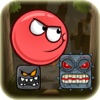
The shapes that you draw are affected by gravity, friction and inertia. Use these properties in your advantage. The red ball (or red square in some levels), is the object that collects the flags. Draw the objects in such a way that they push the ball in the desired direction.
Latest updates
1.5.5
Optimizations.