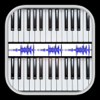
midi Sampler Downloads & Revenuemidi Sampler · App Store
midi Sampler is #94 in Music Paid in United Kingdom and charting in 1 of 30 countries we track.
Updated 10 Nov 2026 · rankings refresh through the day
DeveloperGianluca Natalini
CategoryMusic
Price1.99 GBP
Released
Rating★ 0.0 (0)
Version2.2
Age rating4+
First seen by us 9 Nov 2026
Installs (est.)500+ worldwide
Full timeline · 2 events in the last 12 months
- 🆕midi Sampler first spotted by AppInsider#24 in Top Paid · Music · United Kingdom
- 🆕midi Sampler released on the App Store
Collected from the stores by AppInsider since we first spotted the app. Dates are when we saw each change.
Rating
0.0 ★
0 ratings
Measured
Best rank now
#94
Music PaidMeasured
midi Sampler on the App Store
App details
App ID
641950873
Publisher
Gianluca Natalini
On the store since
May 2013
13 years on the store
Minimum OS
iOS 14.0+
iPhone 6s and later
Devices
iPhone · iPad
Universal purchase
Content rating
4+
Languages
1
EN
Size
8 MB
Also listed in
Entertainment
midi Sampler downloads
Worldwide, per day, and installs to date. The band is open; the exact number is free with an account.
How this is calculated
Apple publishes no download counts. App Store downloads come from chart positions and daily rating growth per country, calibrated on Google Play install counts; lifetime installs from ratings worldwide × installs per rating. Confidence is the chance the real number is within half to double ours.
Active users
All platforms, worldwide. Free with an account.
Stickiness (DAU / MAU)
how many monthly users open it on a given day
How this is calculated
Monthly users come from lifetime installs across every store, fitted on monthly active user figures companies publish; daily users = monthly × the typical daily/monthly ratio for the category. Confidence is the chance the real number is within half to double ours.
Where it ranks now
Every top chart it appears in across 30 countries.
| Country | Charts | Rank |
|---|---|---|
| United Kingdom | MusicPaid | #94 |
Apps near midi Sampler on the chart
Music Paid, around #94.





Ratings
App Store, worldwide.
Rating
0.0 ★
0 ratings
Measured
Ratings
0
Measured
About midi Sampler
"midi Sampler" turns your device into a sampler for professional musicians and / or DJs composers able to:
- Create the entire musical instrument from a single sampled sound
- Receive MIDI messages from an external MIDI keyboard and play the corresponding notes
- Turn any MIDI keyboard in any musical instrument / special effect that you want
The application is simple and immediate ...
once started you can immediately play the musical instrument of default "GRAND PIANO" (or download, by pressing the "i" (info button) -> "SAMPLES" of "midi keyboard", and play the FREE sound samples available on website www.ngcybit.it -> "Samples Collection").
To create a new musical instrument just:
1) record only one sound / voice / special effect "note: LA" or "note: A" (using the record button of "midi Sampler") or create it using any wave editor for Mac or PC (for example: Audacity).
All the common audio formats are supported by "midi Sampler":
- wav
- mp3
- caf
- m4a
- etc ...
2) import the sound recorded or created with Your hands in your device:
- through synchronization (using the iTunes software for Mac or PC)
- by using the "iTunes File Sharing"
3) select the sound that you have imported using the buttons "Import" and/or "Samples" of "midi Sampler": "midi Sampler" will create for you the full scale of sounds and assign them to the virtual keyboard with 8 octaves of "midi Sampler", at which point you can play live with your instrument or entertain your friends with a scale of special effects using the two independent keyboards displayed on the monitor of the device and/or using any external MIDI keyboard connected to your device via:
- iRig MIDI adapter
- a camera connection kit USB adapter + USB to MIDI adapter (Apple compatible - generally used to connect an external MIDI keyboard to a Mac or PC)
You can also import a song from the iTunes library and by controlling "SAMPLE START POSITION" select a sound of interest by extracting it from the imported song: "midi Sampler" will automatically create the complete musical instrument. The "SAMPLE START POSITION" control can also be used to choose the exact start position of the sound sample to be played: the "SAMPLE ATTACK POSITION".
With "midi Sampler" you can record or manually create the sound you want and turn your device + external MIDI keyboard in any musical instrument you want!
Features:
- Import any type of sound and automatic generation of the scale of sounds (8 octaves)
- Ability to store an infinite number sounds using the archive of sounds ("Samples Archive") of "midi Sampler"
- "Samples Collection" with many sound samples free downloadable
- "General MIDI samples" FREE library downloadable from the "Samples Collection"
- Two independent keyboards multi-touch (24 + 24 keys) with independent octaves control for each keyboard
- Ability to receive the MIDI messages from an external MIDI keyboard / MIDI device (with independent octaves control)
- Filter for the MIDI IN messages
- "Bending" control
Latest updates
2.2
* Minor bugs fixed