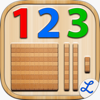
Montessori Numbers for Kids
Montessori Numbers for Kids is #37 in Education Paid in Australia and charting in 1 of 30 countries we track.
Updated 25 Oct 2026 · rankings refresh through the day
 28 Sep 2026
 Education Paid
Montessori Numbers for Kids on the App Store
App details
Montessori Numbers for Kids downloads
Worldwide, per day, and installs to date. The band is open; the exact number is free with an account.
How this is calculated
Active users
All platforms, worldwide. Free with an account.
How this is calculated
Where it ranks now
Every top chart it appears in across 30 countries.
| Country | Charts | Rank |
|---|---|---|
| Australia | EducationPaid | #37 |
Apps near Montessori Numbers for Kids on the chart
Education Paid, around #37.









Ratings
App Store, worldwide.
What users say about Montessori Numbers for Kids
From the 30 most recent App Store reviews in the US.
Users praise the app for effectively teaching number sense and place value through engaging Montessori-style activities. However, complaints focus on misleading advertising regarding math operations, incorrect audio pronunciation of numbers, and a lack of advanced features.
Mixed but leaning positive (73% of recent reviews give 4–5 stars). People like it for its features and content, and being fun. The main complaints are about price and subscriptions, and being hard to use.
What people like
- Features & content: “Just like the tools they use at my daughter's Montessori school”
- Fun: “I have enjoyed playing with these games so much”
- Useful: “It is especially helpful for the 1st or 2nd grader who is struggling with math concepts”
- Ease of use: “Nice graphics, easy to understand by my 31/2 year old”
Common complaints
- Price & subscription: “I will be asking for a refund!,”
- Ease of use: “I was excited to find this app bundle which seemed to promise simple tracing, number and spelling activities”
- Features & content: “This is more video game than learning tool”
About Montessori Numbers for Kids
• "This is a must-have app, for any early learning setting" - Editor's Choice - 4.8 stars out of 5 -Children's Technology Review
• "A fantastic app for helping the young students understand the relationship between numbers and the quantity they stand for” - NBCNews.com
• Featured by Apple as "Best for Ages 5 and under" & as 'New and Noteworthy' (Education)
_____
Montessori Numbers is designed to help build sound mathematical foundations in children aged 3-7 by using a concrete, visually significant material inspired from the Montessori methodology.
Montessori Numbers offers a sequence of guided activities that gradually help children reinforce their skills. Each activity offers several levels of increasing complexity.
• Learn to count up to 999
• Experiment with quantities and learn their names
• Learn the numerals and their names
• Associate quantities with numerals/numbers
• Understand the decimal system and place value
• Master the numerical order
• Learn to trace numbers
Montessori Numbers builds on the iPad’s touch feature, and uses verbal feedback for more efficient learning. The app can pronounce any number between 0 and 1009 (American, British and Australian voices available).
___________
Activities
___________
• Hundred Board
A great activity to help your child master the numerical order of 1-1000, and to introduce numerical patterns. The hundred board displays 100 numbers in a square. The first number (1,101,201,...) can be chosen so it can customized for each child
• 1 to 20
This activity is designed to introduce numbers.
3 levels of difficulty: 0 to 5, 0 to 10 and 11 to 20.
• Quantity
In this activity, kids associate quantities to numbers by manipulating units, bars of 10, and squares of 100 to match a given number which is pronounced and optionally displayed.
Levels of difficulty: 0 to 9, 10 to 99, 100 to 999 or custom
• Numerals
In this activity, number names are to be associated with numerals. As a number name is pronounced, kids are invited to build the corresponding numeral. Kids can freely experiment with numerals and hear the names associated with each numeral they build. The quantity representing the numbers built is also displayed to reinforce the association between quantity and numerals.
Levels of difficulty: 0 to 9, 10 to 99, 100 to 999 or custom
• Numerals (from Quantity)
In this activity, a quantity is to be associated with a given numeral. The child must build the number that matches the quantity displayed. This is the most complex activity because the child must count the quantity displayed, and then build the number using the numerals.
Levels of difficulty: 0 to 9, 10 to 99, 100 to 999 or custom
• Number Tracing
Learn to trace numbers with animations that follow the child's touch. Several options (size, difficulty, tracing style, show/hide model) are available to tailor the activity to your needs.
• Building Block Game:
A game can be started at the end of each activi
Latest updates
More from Pierre Abel
 Montessori Crosswords for Kids
 Writing Wizard - School Ed.
 French Word Wizard
 Dutch Word Wizard for Kids
 Cursive Writing Wizard -School
 French Words for Kids
 French Numbers For Kids
 Word Wizard for Kids School Ed
 Math Wizard for Kids
 Word Wizard: Learn to Read
 Cursive Letters Writing Wizard
 Learn to Write Hiragana - Japanese Writing Wizard