My widget clock | kawaii Japan
Not in any tracked top chart right now.
Updated 25 Oct 2026 · rankings refresh through the day
DeveloperDaisuke Katayama
CategoryGraphics & Design
PriceFree
Released
Rating★ 4.3 (65)
Version5.4.1
Age rating4+
First seen by us 24 Oct 2026
24 Oct 2026Rating
4.3 ★
65 ratings
Measured
My widget clock | kawaii Japan on the App Store
App details
App ID
1535374863
Publisher
Daisuke Katayama
On the store since
Oct 2020
6 years on the store
Minimum OS
iOS 17.0+
iPhone XS and later
Devices
iPhone · iPad
Content rating
4+
Languages
2
EN JA
Size
597 MB
Also listed in
Lifestyle
Where it ranks now
Every top chart it appears in across 30 countries.
| Country | Charts | Rank |
|---|---|---|
| Not charting right now. | ||
Ratings
App Store, worldwide.
Rating
4.3 ★
65 ratings
Measured
Ratings
65
Measured
About My widget clock | kawaii Japan
\ Get a cute watch /
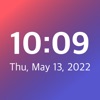
"My widget clock" is an application that allows you to set a clock of your favorite design on the home screen.
In iOS14, it is possible to place widgets on the home screen.
For those who want to install a clock that is easy to see when the home screen is opened, as well as those who want to install a fashionable clock that is different from others, why not decorate the clock of "My widget clock"?
:::::::::::::::::::::::::::::::::::
[About functions]
◆ Select and set your favorite watch design
Choose your favorite design from the clocks provided in the app,Widgets can be set on the home screen.
The design can be changed as many times as you likePlease change into various designs depending on the mood and wallpaper of the day!
◆ Set the background color of the clock
The background color of the widget clock can be set to any color you like.
By selecting from the color picker or entering the color code You can easily set the same color as the wallpaper color of the home screen.
You can also download the wallpaper of the same color from within the app.
(Please note that the colors may not be exactly the same depending on the color.)
◆ Create your own clock with custom functions
If you purchase the premium version, you can use the custom functions.
Custom function allows you to view your favorite images in the camera rollCan be set as the background of the clock,
A widget with your own originality will be completed.
:::::::::::::::::::::::::::::::::::
We will continue to add more designs as needed!
If you have any requests, we would appreciate it if you could give us a review or in-app feedback.
Thank you for using "My widget clock".
"My widget clock" is an application that allows you to set a clock of your favorite design on the home screen.
In iOS14, it is possible to place widgets on the home screen.
For those who want to install a clock that is easy to see when the home screen is opened, as well as those who want to install a fashionable clock that is different from others, why not decorate the clock of "My widget clock"?
:::::::::::::::::::::::::::::::::::
[About functions]
◆ Select and set your favorite watch design
Choose your favorite design from the clocks provided in the app,Widgets can be set on the home screen.
The design can be changed as many times as you likePlease change into various designs depending on the mood and wallpaper of the day!
◆ Set the background color of the clock
The background color of the widget clock can be set to any color you like.
By selecting from the color picker or entering the color code You can easily set the same color as the wallpaper color of the home screen.
You can also download the wallpaper of the same color from within the app.
(Please note that the colors may not be exactly the same depending on the color.)
◆ Create your own clock with custom functions
If you purchase the premium version, you can use the custom functions.
Custom function allows you to view your favorite images in the camera rollCan be set as the background of the clock,
A widget with your own originality will be completed.
:::::::::::::::::::::::::::::::::::
We will continue to add more designs as needed!
If you have any requests, we would appreciate it if you could give us a review or in-app feedback.
Thank you for using "My widget clock".
Latest updates
5.4.1
Fixed an issue where widgets would disappear after changing the color in the home screen customization feature.