Pilot's Altimeter Downloads & RevenuePilot's Altimeter · App Store
Not in any tracked top chart right now.
Updated 11 Nov 2026 · rankings refresh through the day
DeveloperTwo Morrows Technology, LLC
CategoryNavigation
Price4.99 AUD
Released
Rating★ 0.0 (0)
Version1.0.1
Age rating4+
First seen by us 20 Oct 2026
Full timeline · 3 events in the last 12 months
- 📈Pilot's Altimeter dropped out of every chart we trackLast seen 22 Oct
- 🆕Pilot's Altimeter first spotted by AppInsider#24 in Top Paid · Navigation · Australia
- 🆕Pilot's Altimeter released on the App Store
Collected from the stores by AppInsider since we first spotted the app. Dates are when we saw each change.
Rating
0.0 ★
0 ratings
Measured
Pilot's Altimeter on the App Store
App details
App ID
6476430324
Publisher
Two Morrows Technology LLC
On the store since
Mar 2024
2 years on the store
Minimum OS
iOS 13.0+
iPhone 6s and later
Devices
iPhone · iPad · Watch
Content rating
4+
Languages
1
EN
Size
1 MB
Also listed in
Utilities
Where it ranks now
Every top chart it appears in across 30 countries.
| Country | Charts | Rank |
|---|---|---|
| Not charting right now. | ||
Ratings
App Store, worldwide.
Rating
0.0 ★
0 ratings
Measured
Ratings
0
Measured
About Pilot's Altimeter
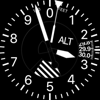
Introducing Pilot's Altimeter: The best app for aviators seeking an altimeter that works just like in a real aircraft; harnessing the power of your Apple Watch's barometer and classic dial display to give you an authentic experience. Whether you are a novice pilot or a seasoned pro, make Pilot's Altimeter your go-to training tool or wrist companion. Student pilots can gain a deeper understanding of traditional pressure altimeters before taking flight.
To Use:
Set the current pressure setting at your location in the Kollsman Window using the digital crown. This can be found by looking up the METAR at your closest airport or if you know your current elevation you can set that altitude on the dial. As a last resort you can get your GPS altitude from your phone or watch and set this on the dial. Once the altimeter is set to the local pressure, the dial will update to display your current altitude as it changes.
Changes in weather throughout the day or traveling a large distance will change the local pressure so be sure to update the setting frequently to get the most accurate results.
Updates to the barometer data can be delayed in certain conditions. Pilot's Altimeter has implemented an escalating warning system to notify you of stale barometer readings:
- Yellow BARO Warning: The barometer data is older than 5 seconds.
- Orange BARO Warning: The barometer data is older than 15 seconds.
- Red BARO Warning: The barometer data is older than 30 seconds.
- Red Flashing BARO Warning: The barometer data is older than 60 seconds.
- Anytime the barometer data is more than 15 seconds, the seconds will be shown in the upper right.
Accuracy Disclaimer:
The barometers in your Apple Watch are highly accurate but are not calibrated to the standards of the altimeters found in real aircraft. Additionally, due to how the Apple Watch provides this data to applications there can be a delay between readings. Lastly, being an electronic device with very small sensors there are more failure modes than analog altimeters. Pilot's Altimeter makes every effort to make it clear to the user how reliable the data being displayed is, however it is no substitute for real instruments and should not be used as a primary or even secondary flight device.
THE USER ASSUMES ALL RISK FROM USE OF THIS APPLICATION IN AN AIRCRAFT
Latest updates
1.0.1
This app has been updated by Apple to prepare for watchOS 27 compatibility. No new features are included.
Bug Fixes:
- Fixes sliver of barber pole showing at bottom of barber pole.
- Fixes indeterministic initial state of BARO Unkown warning.
- Fixes issue where warnings did not display in certain circumstances.