Pixel Animator Downloads & RevenuePixel Animator: GIF Maker · App Store
Not in any tracked top chart right now.
Updated 8 Nov 2026 · rankings refresh through the day
Developer熙亮 徐
CategoryEntertainment
PriceFree
Released
Rating★ 4.5 (6)
Version1.0.7
Age rating4+
First seen by us 24 Oct 2026
Pixel Animator: GIF Maker update history & changes
Last change · 3 events since 13 Nov 2014Full timeline ↓Full timeline · 2 events in the last 12 months
- 🆕Pixel Animator: GIF Maker first spotted by AppInsiderUnited Arab Emirates (found via developer)
- 🆕Pixel Animator: GIF Maker released on the App Store
Collected from the stores by AppInsider since we first spotted the app. Dates are when we saw each change.
Rating
4.5 ★
6 ratings
Measured
Pixel Animator: GIF Maker on the App Store
App details
App ID
841345904
Publisher
熙亮 徐
On the store since
Nov 2014
11 years on the store
Minimum OS
iOS 8.0+
iPhone 4s and later
Devices
iPhone · iPad
Universal purchase
Content rating
4+
Languages
1
EN
Size
80 MB
Also listed in
Social Networking
Where it ranks now
Every top chart it appears in across 30 countries.
| Country | Charts | Rank |
|---|---|---|
| Not charting right now. | ||
Ratings
App Store, worldwide.
Rating
4.5 ★
6 ratings
Measured
Ratings
6
Measured
About Pixel Animator: GIF Maker
Pixel Animator: GIF Maker
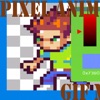
With Pixel Animator, you can do more than cool pixel art. Make your sprites moving is just like a piece of cake.
Features:
1 Make your pixel art from scratch or based on an existing photo or cartoon.
2 Adjust next GIF frame picture based the previous picture which saves your lots of time.
3 Export your animation as a GIF format which is support by every version of browser no matter on the PC platform or the mobile platform.
4 Edit an existing GIF file.
5 Share your GIF Pixel Animation with your friends.
Tips:
The Paint Bucket is very useful. You can use it to change the color of a line or change the color of a closed area.
If you think draw Avatar pixel by pixel is boring, you can download the DOODLE FUN. It makes avatars with lots of small parts.
Simple tutorial
To make a GIF with Pixel Animator, you should know 2 simple concepts.
At first you should know what the current button is, the button that is working. The current button is blinking. The color is changing form normal to red and from red to normal repeatedly. The default current button is a pencil. You can change the current button by click the button on the right panel.
The second concept is GIF frame. A GIF animation is made up of many single images, which is called frame. If you click the “add” button, a new frame will be added. If you click the “minus” button, the current frame will be deleted. Pay attention to the color of frame numbers. Red means the frame is added, green means it is the current frame and gray means the frame can be added but not added yet. For the free version of Pixel Animator, you can add as to 10 frames.
Frame rate is the speed of the GIF animation. Large frame rate means quick animation.
More tutorial can be found at:
HYPERLINK "http://minikara.com/?p=100" http://minikara.com/?p=100
Key word:
GIF, avatar, bitstrips, animator, pixel art
Make your original GIF animation with fun.
Latest updates
1.0.7
Fix the crash bug when sharing the GIFs.