Pixel Map
Pixel Map is #120 in Graphics & Design Paid in United Kingdom and charting in 3 of 24 countries we track.
Updated 27 Sep 2026 · rankings refresh through the day
DeveloperRob Duell PhD
CategoryGraphics & Design
Price0.99 EUR
Released
Rating★ 0.0 (0)
Version1.0
Age rating4+
First seen by us 25 Sep 2026
25 Sep 2026Installs (est.)100+ worldwide
Rating
0.0 ★
0 ratings
Measured
Best rank now
#120
 Graphics & Design Paid
Measured
Pixel Map on the App Store
App details
App ID
1568277391
Publisher
Rob Duell PhD
Content rating
4+
Pixel Map downloads
Worldwide, per day, and installs to date. The band is open; the exact number is free with an account.
How this is calculated
Apple publishes no download counts. iPhone downloads come from chart positions and daily rating growth per country, calibrated on Google Play install counts; lifetime installs from ratings worldwide × installs per rating. Confidence is the chance the real number is within half to double ours.
Active users
All platforms, worldwide. Free with an account.
Stickiness (DAU / MAU)
how many monthly users open it on a given day
How this is calculated
Monthly users come from lifetime installs across every store, fitted on monthly active user figures companies publish; daily users = monthly × the typical daily/monthly ratio for the category. Confidence is the chance the real number is within half to double ours.
Where it ranks now
Every top chart it appears in across 24 countries.
| Country | Charts | Rank |
|---|---|---|
| United Kingdom | Graphics & DesignPaid | #120 |
| Germany | Graphics & DesignPaid | #143 |
 France France | Graphics & DesignPaid | #127 |
Apps near Pixel Map on the chart
Graphics & Design Paid, around #120.








Ratings
App Store, worldwide.
Rating
0.0 ★
0 ratings
Measured
Ratings
0
Measured
About Pixel Map
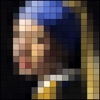
The central idea of Pixel Map is that you can take samples with different pixel sizes from your own photographs, and subsequently that you can compose one or two different color palettes to select which colors are used to recolor your pixel map.
In Pixel Map you can select one of your own photos as the basis for a pixel map. Also, you can select the number of pixels to be used for your Pixel map (the app generates pixel map samples based on the original colors and the aspect ratio of your photo), and you can compose your own palettes by selecting colours from two separate sets of color patches.
You can define your color palettes based either on the colors from your pixel sample, or from a fresh set of color patches. One set of color patches is based on the original pixel sample by employing Artificial Intelligence techniques. The other set of color patches contains a predefined set of several grey values, skin tones and general colors. The proces of recoloring your images also employs Artificial Intelligence techniques.
Only a small thumbnail and of course the pixel maps and their palettes are stored locally on your device. The app supports manually copying your pixel map to an external canvas. You can also export your pixel map by email. To ease the process of copying, a detail view can identify each pixel by a row- and column number.
In Pixel Map you can select one of your own photos as the basis for a pixel map. Also, you can select the number of pixels to be used for your Pixel map (the app generates pixel map samples based on the original colors and the aspect ratio of your photo), and you can compose your own palettes by selecting colours from two separate sets of color patches.
You can define your color palettes based either on the colors from your pixel sample, or from a fresh set of color patches. One set of color patches is based on the original pixel sample by employing Artificial Intelligence techniques. The other set of color patches contains a predefined set of several grey values, skin tones and general colors. The proces of recoloring your images also employs Artificial Intelligence techniques.
Only a small thumbnail and of course the pixel maps and their palettes are stored locally on your device. The app supports manually copying your pixel map to an external canvas. You can also export your pixel map by email. To ease the process of copying, a detail view can identify each pixel by a row- and column number.
Latest updates
1.0