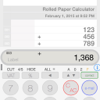
Rolled Paper Calculator Downloads & RevenueRolled Paper Calculator · App Store
Not in any tracked top chart right now.
Updated 8 Nov 2026 · rankings refresh through the day
Developermobazo
CategoryFinance
PriceFree
Released
Rating★ 4.8 (28)
Version8.17
Age rating4+
First seen by us 22 Oct 2026
Rolled Paper Calculator update history & changes
Last change · 3 events since 11 Sep 2010Full timeline ↓Full timeline · 3 events
- 🆕Rolled Paper Calculator first spotted by AppInsiderUnited States (found via search)
- 📦Rolled Paper Calculator version 8.17no Ad Subscription is available
- 🆕Rolled Paper Calculator released on the App Store
Collected from the stores by AppInsider since we first spotted the app. Dates are when we saw each change.
Rating
4.8 ★
28 ratings
Measured
Rolled Paper Calculator on the App Store
App details
App ID
390235996
Publisher
Taizo Yamamoto
On the store since
Sep 2010
16 years on the store
Minimum OS
iOS 16.6+
iPhone 8 and later
Devices
iPhone · iPad
Universal purchase
Content rating
4+
Languages
33
AR CA HR CS DA NL EN FI FR DE EL HE …
Size
6 MB
Also listed in
Utilities
Where it ranks now
Every top chart it appears in across 30 countries.
| Country | Charts | Rank |
|---|---|---|
| Not charting right now. | ||
Ratings
App Store, worldwide.
Rating
4.8 ★
28 ratings
Measured
Ratings
28
Measured
About Rolled Paper Calculator
~ An Innovative, User-Friendly Calculator with History ~
Selected as one of AppBank's Best iPhone Apps of 2010, this calculator is highly regarded by many users. It makes daily calculations easier and more accurate.
Use cases: Calculating expenses while shopping, double-checking household finances, calculating business expenses, learning tool for students, etc.
Main Features:
1. Scrolling Paper Display
Displays calculations like a scroll, allowing you to check your work anytime. Easily review past calculations by scrolling.
2. Standard/Advanced/Note Keyboard Switching
Equipped with three keyboard modes: Standard, Advanced, and Note. Easily switch between modes based on user preference and calculation needs.
- Standard: Provides simple, easy-to-use basic calculator functions
- Advanced: Extended keyboard with more advanced features
- Note: Offers note-taking functionality to save and manage calculation results
3. Flexible Decimal Point Modes
Three decimal point modes:
- F (Free): No limit on decimal places
- 0 (Zero): Displays integers only
- 2 (Euro mode): Displays up to two decimal places
Easily switch using the "dp/VAT" button (Advanced mode).
4. VAT Calculation Feature
Long-press the "dp/VAT" button in Advanced mode to set the VAT rate. After setting, simply switch to +VAT mode using the "dp/VAT" button to automatically add tax to calculations.
5. Scan Function
Use the "SCAN" button in Advanced mode to scan numbers from receipts or price lists for automatic input. Especially useful for accurately entering large numbers for tax returns.
6. Advanced Calculation Features
- Square root calculation: Easily calculate square roots with the "√" button.
- Sign inversion: Switch between positive and negative values with the "±↻" button.
- Backspace function: Delete the last digit in case of input errors (Advanced mode).
- Restore function: Restore deleted numbers (Advanced mode).
- C/AC function: Press "C/AC" to reset current input or calculation results. Long-press to clear all scroll content and choose whether to save as a note.
7. Copy Function
Copy calculation history displayed on the scroll to the clipboard using the "copy" button in Advanced mode.
8. Total Calculation Function
The "=/Σ" button displays normal calculation results. In Advanced mode, long-press to calculate the sum of all results displayed on the scroll.
9. Note Function
Save calculation results as notes for later reference or editing. Saved notes are grouped by date for easy management. Create notes by:
- Long-pressing the "C/AC" button to clear all scroll content and save as a note.
- Creating or editing notes in Note mode.
10. User-Friendly Interface
- Intuitive operation
- Clear display
- Dark mode support
- Easy switching between Standard/Advanced/Note modes
11. NoteToCalc Function
Import saved note content directly into the calculator. Main purpose: Record unit prices as memos without using the calculator function, then perform batch calculations later.
12. All Sum
Selected as one of AppBank's Best iPhone Apps of 2010, this calculator is highly regarded by many users. It makes daily calculations easier and more accurate.
Use cases: Calculating expenses while shopping, double-checking household finances, calculating business expenses, learning tool for students, etc.
Main Features:
1. Scrolling Paper Display
Displays calculations like a scroll, allowing you to check your work anytime. Easily review past calculations by scrolling.
2. Standard/Advanced/Note Keyboard Switching
Equipped with three keyboard modes: Standard, Advanced, and Note. Easily switch between modes based on user preference and calculation needs.
- Standard: Provides simple, easy-to-use basic calculator functions
- Advanced: Extended keyboard with more advanced features
- Note: Offers note-taking functionality to save and manage calculation results
3. Flexible Decimal Point Modes
Three decimal point modes:
- F (Free): No limit on decimal places
- 0 (Zero): Displays integers only
- 2 (Euro mode): Displays up to two decimal places
Easily switch using the "dp/VAT" button (Advanced mode).
4. VAT Calculation Feature
Long-press the "dp/VAT" button in Advanced mode to set the VAT rate. After setting, simply switch to +VAT mode using the "dp/VAT" button to automatically add tax to calculations.
5. Scan Function
Use the "SCAN" button in Advanced mode to scan numbers from receipts or price lists for automatic input. Especially useful for accurately entering large numbers for tax returns.
6. Advanced Calculation Features
- Square root calculation: Easily calculate square roots with the "√" button.
- Sign inversion: Switch between positive and negative values with the "±↻" button.
- Backspace function: Delete the last digit in case of input errors (Advanced mode).
- Restore function: Restore deleted numbers (Advanced mode).
- C/AC function: Press "C/AC" to reset current input or calculation results. Long-press to clear all scroll content and choose whether to save as a note.
7. Copy Function
Copy calculation history displayed on the scroll to the clipboard using the "copy" button in Advanced mode.
8. Total Calculation Function
The "=/Σ" button displays normal calculation results. In Advanced mode, long-press to calculate the sum of all results displayed on the scroll.
9. Note Function
Save calculation results as notes for later reference or editing. Saved notes are grouped by date for easy management. Create notes by:
- Long-pressing the "C/AC" button to clear all scroll content and save as a note.
- Creating or editing notes in Note mode.
10. User-Friendly Interface
- Intuitive operation
- Clear display
- Dark mode support
- Easy switching between Standard/Advanced/Note modes
11. NoteToCalc Function
Import saved note content directly into the calculator. Main purpose: Record unit prices as memos without using the calculator function, then perform batch calculations later.
12. All Sum
Latest updates
8.17
no Ad Subscription is available