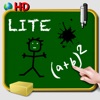
School Blackboard iPad Downloads & RevenueSchool Blackboard iPad - Write note draw doodle and color - Handwriting - Free · App Store
Not in any tracked top chart right now.
Updated 9 Nov 2026 · rankings refresh through the day
DeveloperSCM PUBLISHING
CategoryEntertainment
PriceFree
Released
Rating★ 4.3 (3)
Version1.6
Age rating4+
First seen by us 23 Oct 2026
School Blackboard iPad - Write note draw doodle and color - Handwriting - Free update history & changes
Last change · 3 events since 23 Aug 2010Full timeline ↓Full timeline · 2 events in the last 12 months
- 🆕School Blackboard iPad - Write note draw doodle and color - Handwriting - Free first spotted by AppInsiderMexico (found via developer)
- 🆕School Blackboard iPad - Write note draw doodle and color - Handwriting - Free released on the App Store
Collected from the stores by AppInsider since we first spotted the app. Dates are when we saw each change.
Rating
4.3 ★
3 ratings
Measured
School Blackboard iPad - Write note draw doodle and color - Handwriting - Free on the App Store
App details
App ID
387586956
Publisher
SCM PUBLISHING
On the store since
Aug 2010
16 years on the store
Minimum OS
iOS 7.1+
Devices
iPad
Content rating
4+
Languages
17
DA NL EN FI FR DE IT JA KO NB PL PT …
Size
4 MB
Also listed in
Games
Where it ranks now
Every top chart it appears in across 30 countries.
| Country | Charts | Rank |
|---|---|---|
| Not charting right now. | ||
Ratings
App Store, worldwide.
Rating
4.3 ★
3 ratings
Measured
Ratings
3
Measured
About School Blackboard iPad - Write note draw doodle and color - Handwriting - Free
Drawings and writings in chalk on a blackboard.
Want to make a drawing ?
Need to quickly record a telephone number or code of the door of your friend?
With school board, you write or draw what you want, you save your creations in your favorites.
Features:
- Drawing with white chalk or black chalk. Several sizes available.
- Manual erasing with an eraser
- Save in your favorites
- Automatic backup of the design in progress when the application ends
- Ability to start your drawing in portrait or landscape mode. Afterwards you can turn your drawing simply by turning your device, drawing also rotates. The toolbar, of course, is repositioning itself correctly for the user.
Want to make a drawing ?
Need to quickly record a telephone number or code of the door of your friend?
With school board, you write or draw what you want, you save your creations in your favorites.
Features:
- Drawing with white chalk or black chalk. Several sizes available.
- Manual erasing with an eraser
- Save in your favorites
- Automatic backup of the design in progress when the application ends
- Ability to start your drawing in portrait or landscape mode. Afterwards you can turn your drawing simply by turning your device, drawing also rotates. The toolbar, of course, is repositioning itself correctly for the user.
Latest updates
1.6
Bug Fixes
More from SCM PUBLISHING
 blackboard for iPhone and iPod - write, draw and take notes - colored chalk - wallpaper green, white, black or photo
 Coloring Book for Boys for iPad with colored pencils - 36 drawings to color with dragons, pirates, cars, and more - HD
 Notebook Free to write, take notes and draw sketches
 Christmas colorings for kids with colored pencils - 24 drawings to color with Santa Claus, christmas trees, elves, and more
 Christmas colorings for kids with colored pencils - 36 drawings to color with Santa Claus, christmas trees, elves, and more - FREE
 Sketchbook for color Drawing and Writing for iPad with stickers to create on various backgrounds -LITE
 Blackboard for iPhone and iPod - write, draw and take notes - Lite
 Blackboard to write and draw on iPad
 Sketchbook for color Drawing and Writing for iPad with a collection of over 200 stickers to make creations on various backgrounds or photos - HD