tapeRecorder
Not in any tracked top chart right now.
Updated 24 Oct 2026 · rankings refresh through the day
DeveloperGianluca Natalini
CategoryMusic
Price0.99 GBP
Released
Rating★ 0.0 (0)
Version1.5.3
Age rating4+
First seen by us 15 Oct 2026
15 Oct 2026Rating
0.0 ★
0 ratings
Measured
tapeRecorder on the App Store
App details
App ID
417483814
Publisher
Gianluca Natalini
On the store since
Feb 2011
15 years on the store
Minimum OS
iOS 12.1+
iPhone 5s and later
Devices
iPhone · iPad
Content rating
4+
Languages
1
EN
Size
2 MB
Also listed in
Entertainment
Where it ranks now
Every top chart it appears in across 30 countries.
| Country | Charts | Rank |
|---|---|---|
| Not charting right now. | ||
Ratings
App Store, worldwide.
Rating
0.0 ★
0 ratings
Measured
Ratings
0
Measured
About tapeRecorder
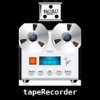
“tapeRecorder" turns your device into an "OLD STYLE" tape recorder / music player.
Useful for:
- Record interviews, lectures at the university, audio notes, live music performances
- Play music stored in your iTunes music library
The software allows:
- To make an infinite number of recordings, each with an endless recording time (professional type - using the device's microphone)
- Saves an infinite number of recordings (subject to availability of physical memory on the device)
- Automatically assigns the current date and time for the title of the recorded audio file (automatic historical archive recording)
- At any time you can load and listen the Your personal recordings
- Using the technology "iTunes File Sharing" all the recordings can be transferred from device to PC or MAC (RECORDING BACKUP)
- Using the technology "iTunes File Sharing" all the recordings can be transferred from the MAC / PC to the device
- Allows to load songs directly from the music library of the device, for listening (MUSIC PLAYER feature for iTunes music library)
- Parallel listening and recording
1) Import music from your iTunes library
2) Press REC
3) Press PLAY
4) Sing over the music playing
RESULTS: music + voice will be recorded on a new audio file (KARAOKE RECORDING feature) and stored in the archive of tapeRecorder
(These steps can be repeated several times to create such choirs or double voices)
- FF and REW tape, slow and fast (pressing FF and REW buttons the tape is rewinded or fast forwarded like in the old cassette recorder)
- Animation for tape reel (simulates the old cassette player for REC, PLAY, FF, fast FF, REW, fast REW)
- Volume control
- Slider control to modify the song playback position (like in the default device player)
- Controls, status display, playback time, level meter (for PLAY and REC), audio clipping leds (for PLAY and REC)
- “OLD STYLE" tape recorder design
Useful for:
- Record interviews, lectures at the university, audio notes, live music performances
- Play music stored in your iTunes music library
The software allows:
- To make an infinite number of recordings, each with an endless recording time (professional type - using the device's microphone)
- Saves an infinite number of recordings (subject to availability of physical memory on the device)
- Automatically assigns the current date and time for the title of the recorded audio file (automatic historical archive recording)
- At any time you can load and listen the Your personal recordings
- Using the technology "iTunes File Sharing" all the recordings can be transferred from device to PC or MAC (RECORDING BACKUP)
- Using the technology "iTunes File Sharing" all the recordings can be transferred from the MAC / PC to the device
- Allows to load songs directly from the music library of the device, for listening (MUSIC PLAYER feature for iTunes music library)
- Parallel listening and recording
1) Import music from your iTunes library
2) Press REC
3) Press PLAY
4) Sing over the music playing
RESULTS: music + voice will be recorded on a new audio file (KARAOKE RECORDING feature) and stored in the archive of tapeRecorder
(These steps can be repeated several times to create such choirs or double voices)
- FF and REW tape, slow and fast (pressing FF and REW buttons the tape is rewinded or fast forwarded like in the old cassette recorder)
- Animation for tape reel (simulates the old cassette player for REC, PLAY, FF, fast FF, REW, fast REW)
- Volume control
- Slider control to modify the song playback position (like in the default device player)
- Controls, status display, playback time, level meter (for PLAY and REC), audio clipping leds (for PLAY and REC)
- “OLD STYLE" tape recorder design
Latest updates
1.5.3
* Minor bugs fixed