Voronoe - Shape Art
Not in any tracked top chart right now.
Updated 25 Oct 2026 · rankings refresh through the day
DeveloperENONE Inc.
CategoryGraphics & Design
PriceFree
Released
Rating★ 4.4 (17)
Version1.6.0
Age rating4+
First seen by us 24 Oct 2026
24 Oct 2026Rating
4.4 ★
17 ratings
Measured
Voronoe - Shape Art on the App Store
App details
App ID
6447497992
Publisher
ENONE INC.
On the store since
Apr 2023
3 years on the store
Minimum OS
iOS 12.0+
iPhone 5s and later
Devices
iPhone · iPad
Universal purchase
Content rating
4+
Languages
6
EN FR JA ZH ES ZH
Size
65 MB
Also listed in
Education
Where it ranks now
Every top chart it appears in across 30 countries.
| Country | Charts | Rank |
|---|---|---|
| Not charting right now. | ||
Ratings
App Store, worldwide.
Rating
4.4 ★
17 ratings
Measured
Ratings
17
Measured
About Voronoe - Shape Art
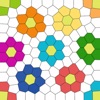
Voronoe is an app that allows you to create pictures using the Voronoi projection.
You can create pictures with geometric patterns with simple operations.
[Steps to create Voronoe]
1. Add
Tap the screen to add a new shape at that position. (Up to 500 can be added)
2. Move
You can touch and move any shape you like, so please move it freely to your favorite position.
3. Remove
If there are too many or you no longer need them, delete them. (It cannot be deleted when there are 5 remaining)
4. Color
You can paint the shape any color you like.
You can save the specified color or press and hold the shape to make it that color.
5. Edit border
Slide the outside of the picture to change the thickness of the border.
You can also change the color by selecting the border from the menu.
We are planning to add various functions in the future, so please enjoy it.
Voronoe will continue to improve based on your feedback.
If you have any questions, feel free to contact us at [email protected].
lastly,
We hope that this app will become one of your ways of expression.
You can create pictures with geometric patterns with simple operations.
[Steps to create Voronoe]
1. Add
Tap the screen to add a new shape at that position. (Up to 500 can be added)
2. Move
You can touch and move any shape you like, so please move it freely to your favorite position.
3. Remove
If there are too many or you no longer need them, delete them. (It cannot be deleted when there are 5 remaining)
4. Color
You can paint the shape any color you like.
You can save the specified color or press and hold the shape to make it that color.
5. Edit border
Slide the outside of the picture to change the thickness of the border.
You can also change the color by selecting the border from the menu.
We are planning to add various functions in the future, so please enjoy it.
Voronoe will continue to improve based on your feedback.
If you have any questions, feel free to contact us at [email protected].
lastly,
We hope that this app will become one of your ways of expression.
Latest updates
1.6.0
You can now change the display mode of figures on the edit screen. You can change it with the switch button in the middle of the menu on the screen, so please play with it by switching the work edited in normal mode to equality mode.

