Weight calculator for metals
Not in any tracked top chart right now.
Updated 25 Oct 2026 · rankings refresh through the day
DeveloperElectronial
CategoryProductivity
PriceFree
Released
Rating★ 4.1 (263)
Version1.2.1
Age rating4+
First seen by us 14 Oct 2026
14 Oct 2026Rating
4.1 ★
263 ratings
Measured
Weight calculator for metals on the App Store
App details
App ID
1442079573
Publisher
Electronial
On the store since
Nov 2018
7 years on the store
Minimum OS
iOS 11.0+
iPhone 5s and later
Devices
iPhone · iPad
Universal purchase
Content rating
4+
Languages
1
EN
Size
15 MB
Also listed in
Reference
Where it ranks now
Every top chart it appears in across 30 countries.
| Country | Charts | Rank |
|---|---|---|
| Not charting right now. | ||
Ratings
App Store, worldwide.
Rating
4.1 ★
263 ratings
Measured
Ratings
263
Measured
About Weight calculator for metals
Weight Calculator For Metals is a metal weight calculator that lets you calculate the mass or length and price of many different shapes of metals. You can choose between many metals or add your own.
The app can also calculate the total weight if you enter the quantity and it can also calculate the total price if you also enter the price per unit of weight.
You can choose between millimeter, centimeter, meter, inch or feet for lengths and you can choose between gram, kilogram and imperial pounds for weight. Each shape has a clear diagram that shows the lengths you have to enter.
You can choose between the length or the weight mode. The length mode calculates the weight and requires you to know all lengths of the shape. The weight mode lets you calculate the length of the shape by entering all other lengths and the weight.
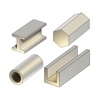
The following shapes are available in the free version: square bar, bar, round bar, square tubing, pipe, ellipse, T bar, beam, channel, angle, hexagonal bar and sheet.
You can upgrade to the pro version to remove the ads and get the following shapes: half circle, half ellipse, triangle, mesh, S bar, U bar, Z bar, V bar, F bar, E bar.
The app can also calculate the total weight if you enter the quantity and it can also calculate the total price if you also enter the price per unit of weight.
You can choose between millimeter, centimeter, meter, inch or feet for lengths and you can choose between gram, kilogram and imperial pounds for weight. Each shape has a clear diagram that shows the lengths you have to enter.
You can choose between the length or the weight mode. The length mode calculates the weight and requires you to know all lengths of the shape. The weight mode lets you calculate the length of the shape by entering all other lengths and the weight.
The following shapes are available in the free version: square bar, bar, round bar, square tubing, pipe, ellipse, T bar, beam, channel, angle, hexagonal bar and sheet.
You can upgrade to the pro version to remove the ads and get the following shapes: half circle, half ellipse, triangle, mesh, S bar, U bar, Z bar, V bar, F bar, E bar.
Latest updates
1.2.1
bug fixes