What Doesn't Belong? Fun Deck
Not in any tracked top chart right now.
Updated 20 Oct 2026 · rankings refresh through the day
DeveloperSuper Duper Publications
CategoryEducation
Price5.99 AUD
Released
Rating★ 5.0 (1)
Version3.8
Age rating4+
First seen by us 29 Sep 2026
29 Sep 2026Rating
5.0 ★
1 ratings
Measured
What Doesn't Belong? Fun Deck on the App Store
App details
App ID
518100020
Publisher
Super Duper, Inc.
On the store since
Apr 2012
14 years on the store
Minimum OS
iOS 8.0+
iPhone 4s and later
Devices
iPhone · iPad
Universal purchase
Content rating
4+
Languages
1
EN
Size
94 MB
Also listed in
Games
Where it ranks now
Every top chart it appears in across 30 countries.
| Country | Charts | Rank |
|---|---|---|
| Not charting right now. | ||
Ratings
App Store, worldwide.
Rating
5.0 ★
1 ratings
Measured
Ratings
1
Measured
About What Doesn't Belong? Fun Deck
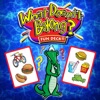
This colorful educational App for the iPhone®, iPad®, and iPod touch® has all 54 illustrated picture flash cards (plus audio for each card) from the What Doesn’t Belong? Fun Deck® by Super Duper® Publications. Select the cards you want your students to see, and have them practice categorizing, classifying, and organizing as they pick out the one that does not belong. Prompts include pictures with three items, such as “an elephant, a lion, and a toaster…” as well as pictures with four items, like “scissors, glue, crayons, and a sailboat…”
This App is simple to use — each student looks at an illustration, and either reads the prompt or touches the screen to listen to the prompt. The student then gives a verbal response. After each answer, tap the green (correct) or red (incorrect) button to score the student’s verbal response. Move to the next card by sliding the card currently on the display screen to the side. To move to the next player, tap the bar at the top of the screen and select a name. You can also advance cards and players automatically by selecting the Auto-Advance option in the Game Options menu. You can leave a game temporarily and return to it later by selecting Pause Game from the menu. To return to the game, select Continue Game from the main menu. When you finish, view the results in a graph, and print or email your data.
What Doesn’t Belong? Fun Deck® App lets you:
• Use the app in portrait or landscape orientation.
• Select all 54 cards or just the ones you want students to see.
• Track correct and incorrect responses for an unlimited number of players.
• Advance players and cards manually or automatically.
• Receive feedback for incorrect and/or correct responses
• Discontinue game play and continue at any time.
• View results in a graph and see which questions a player missed during a session.
• Print, E-mail and share your results.
This App is simple to use — each student looks at an illustration, and either reads the prompt or touches the screen to listen to the prompt. The student then gives a verbal response. After each answer, tap the green (correct) or red (incorrect) button to score the student’s verbal response. Move to the next card by sliding the card currently on the display screen to the side. To move to the next player, tap the bar at the top of the screen and select a name. You can also advance cards and players automatically by selecting the Auto-Advance option in the Game Options menu. You can leave a game temporarily and return to it later by selecting Pause Game from the menu. To return to the game, select Continue Game from the main menu. When you finish, view the results in a graph, and print or email your data.
What Doesn’t Belong? Fun Deck® App lets you:
• Use the app in portrait or landscape orientation.
• Select all 54 cards or just the ones you want students to see.
• Track correct and incorrect responses for an unlimited number of players.
• Advance players and cards manually or automatically.
• Receive feedback for incorrect and/or correct responses
• Discontinue game play and continue at any time.
• View results in a graph and see which questions a player missed during a session.
• Print, E-mail and share your results.
Latest updates
3.8
Updated for iOS 8 and iOS 9
Minor bug fixes