
Acropolis Interactive 3D Downloads & RevenueAcropolis Interactive 3D · App Store & Google Play
Acropolis Interactive 3D by MOZAIK Education Ltd. is on App Store and Google Play. Active Users (MAU & DAU), Downloads, rankings, keywords, revenue, and rating totals.
Acropolis Interactive 3D update history & changes
Last change · 6 events since 16 Apr 2015Full timeline ↓Full timeline · 5 events in the last 12 months
- 🆕Acropolis Interactive 3D first spotted by AppInsiderAndroidUnited States (found via similar)
- 🆕Acropolis Interactive 3D first spotted by AppInsideriOSUnited States (found via developer)
- 📦Acropolis Interactive 3D version 1.32AndroidBug fixes, major improvements.
- 🆕Acropolis Interactive 3D released on the App StoreiOS
- 🆕Acropolis Interactive 3D released on Google PlayAndroid
Collected from the stores by AppInsider since we first spotted the app. Dates are when we saw each change.
App Store
App details
Google Play
App details
Acropolis Interactive 3D downloads & installs
Both stores, worldwide. Bands are open; exact numbers are free with an account.
| Store | Downloads / day | Lifetime installs |
|---|---|---|
| App Store | – | – |
| Google Play | – | 500k+ Measured |
| Total | – | 500k+ Confidence |
How this is calculated
Active users
All platforms, worldwide. Free with an account.
How this is calculated
Where it ranks now
Both stores, across every country we track.
| Store | Best rank | Charting in | US Top Free | US Top Grossing |
|---|---|---|---|---|
| App Store | – | 0 of 30 countries | – | – |
| Google Play | – | 0 of 23 countries | – | – |
Full chart lists: App Store · Google Play.
Ratings
Both stores. Store data, measured.
| Store | Rating | Ratings |
|---|---|---|
| App Store | 4.7 ★ | 70 |
| Google Play | 4.7 ★ | 3.7k 43 written reviews |
| Both stores | 4.7 ★ weighted by ratings | 3.8k |
About Acropolis Interactive 3D
The world´s most famous citadel, the Acropolis of Athens, was built in Ancient Greece in the 5th century BC.
Explore history with our interactive 3D scenes. Learn about historical sites, great works of architecture or events of the past. With our apps, learning becomes a playful experience.
Our 3D scenes have been designed for students between 8 and 18 years of age but can be interesting for everyone
Available languages: English, Deutsch, Français, Español, Русский, العربية, 日本語, 中文, 한국어, Italiano, Português, Svenska, Nederlands, Norsk, Polski, Magyar, ελληνικά, Türk
With the mozaik3D App, available in the AppStore, you can access more than 1200 similar 3D scenes.
Mozaik Interactive 3D
Our fully interactive scenes can be rotated, enlarged or viewed from pre-set angles. With the predefined views, you can easily navigate through the complex scenes. Some of the 3D scenes contain a Walk mode, enabling you to explore the scene yourself. Most of our 3D scenes include narrations and built-in animations. They also contain captions, entertaining animated quizzes and other visual elements. The 3D scenes are available in several languages, which also offers an opportunity to learn and practice foreign languages.
Usage and navigation
Rotate the scene by dragging your finger.
Zoom the scene in or out by pinching with your fingers.
Pan the view by dragging with three fingers.
Tap the buttons at the bottom to switch between predefined views.
If available in a specific view, use the virtual joystick to walk around.
You can change the language and set other functions in the context menu.
The context menu can be accessed by touching the bottom corners.
Activate VR mode by pressing the VR goggles icon in the bottom right corner.
In VR mode, tilt your head to right or left display the navigation panel. Look down to turn movement on or off during Walk.
Acropolis Interactive 3D App Store
Not in any tracked top chart right now.
Updated 7 Nov 2026 · rankings refresh through the day
 24 Oct 2026
Acropolis Interactive 3D on the App Store
App details
Acropolis Interactive 3D downloads
Worldwide, per day, and installs to date. The band is open; the exact number is free with an account.
How this is calculated
Active users
All platforms, worldwide. Free with an account.
How this is calculated
Where it ranks now
Every top chart it appears in across 30 countries.
| Country | Charts | Rank |
|---|---|---|
| Not charting right now. | ||
Ratings
App Store, worldwide.
About Acropolis Interactive 3D
The world´s most famous citadel, the Acropolis of Athens, was built in Ancient Greece in the 5th century BC.
Explore history with our interactive 3D scenes. Learn about historical sites, great works of architecture or events of the past. With our apps, learning becomes a playful experience.
Our 3D scenes have been designed for students between 8 and 18 years of age but can be interesting for everyone
Available languages: English, Deutsch, Français, Español, Русский, العربية, 日本語, 中文, 한국어, Italiano, Português, Svenska, Nederlands, Norsk, Polski, Magyar, ελληνικά, Türk
With the mozaik3D App, available in the AppStore, you can access more than 1200 similar 3D scenes.
Mozaik Interactive 3D
Our fully interactive scenes can be rotated, enlarged or viewed from pre-set angles. With the predefined views, you can easily navigate through the complex scenes. Some of the 3D scenes contain a Walk mode, enabling you to explore the scene yourself. Most of our 3D scenes include narrations and built-in animations. They also contain captions, entertaining animated quizzes and other visual elements. The 3D scenes are available in several languages, which also offers an opportunity to learn and practice foreign languages.
Usage and navigation
Rotate the scene by dragging your finger.
Zoom the scene in or out by pinching with your fingers.
Pan the view by dragging with three fingers.
Tap the buttons at the bottom to switch between predefined views.
If available in a specific view, use the virtual joystick to walk around.
You can change the language and set other functions in the context menu.
The context menu can be accessed by touching the bottom corners.
Activate VR mode by pressing the VR goggles icon in the bottom right corner.
In VR mode, tilt your head to right or left display the navigation panel. Look down to turn movement on or off during Walk.
Latest updates
More from MOZAIK Education Ltd.





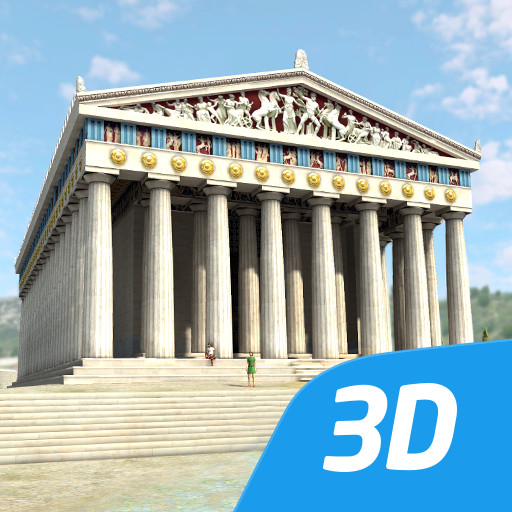
Acropolis educational 3D scene Android
Not in a tracked Google Play top chart right now.
Updated 7 Nov 2026 · rankings refresh through the day
Acropolis educational 3D scene on Google Play
App details
Acropolis educational 3D scene downloads
Worldwide, per day, and installs to date. The band is open; the exact number is free with an account.
How this is calculated
Active users
All platforms, worldwide. Free with an account.
How this is calculated
Where it ranks on Google Play
Every top 200 chart it appears in across 23 countries.
| Country | Charts | Rank |
|---|---|---|
| Not in a Google Play top chart right now. | ||
Ratings
Google Play, worldwide.
About Acropolis educational 3D scene
The world´s most famous citadel, the Acropolis of Athens, was built in Ancient Greece in the 5th century BC.
Explore history with our interactive 3D scenes. Learn about historical sites, great works of architecture or events of the past. With our apps, learning becomes a playful experience.
Our 3D scenes have been designed for students between 8 and 18 years of age but can be interesting for everyone.
Available languages: English, American English, Deutsch, Français, Español, Русский, العربية, 日本語, 中文, 한국어, Italiano, Português, Svenska, Türkçe, Nederlands, Norsk, Polski, Magyar, ελληνικά
With the mozaik3D App, available in the Google Play store, you can access more than 1200 similar 3D scenes.
Mozaik Interactive 3D
Our fully interactive scenes can be rotated, enlarged or viewed from pre-set angles. With the predefined views, you can easily navigate through the complex scenes. Some of the 3D scenes contain a Walk mode, enabling you to explore the scene yourself. Most of our 3D scenes include narrations and built-in animations. They also contain captions, entertaining animated quizzes and other visual elements. The 3D scenes are available in several languages, which also offers an opportunity to learn and practice foreign languages.
Usage and navigation
Rotate the scene by dragging your finger.
Zoom the scene in or out by pinching with your fingers.
Pan the view by dragging with three fingers.
Tap the buttons at the bottom to switch between predefined views.
If available in a specific view, use the virtual joystick to walk around.
You can change the language and set other functions in the context menu.
The context menu can be accessed by touching the bottom corners.
Activate VR mode by pressing the VR goggles icon in the bottom right corner.
In VR mode, tilt your head to the right or left to display the navigation panel. Look down to turn movement on or off during Walk.