Concertina - Anglo Concertina
Not in any tracked top chart right now.
Updated 24 Oct 2026 · rankings refresh through the day
DeveloperMichael Eskin
CategoryMusic
PriceFree
Released
Rating★ 2.0 (3)
Version3.0
Age rating4+
First seen by us 23 Oct 2026
23 Oct 2026Rating
2.0 ★
3 ratings
Measured
Concertina - Anglo Concertina on the App Store
App details
App ID
343270484
Publisher
Michael Eskin
On the store since
Dec 2009
16 years on the store
Minimum OS
iOS 10.0+
iPhone 5 and later
Devices
iPhone · iPad · Watch
Content rating
4+
Languages
1
EN
Size
34 MB
Also listed in
Education
Where it ranks now
Every top chart it appears in across 30 countries.
| Country | Charts | Rank |
|---|---|---|
| Not charting right now. | ||
Ratings
App Store, worldwide.
Rating
2.0 ★
3 ratings
Measured
Ratings
3
Measured
About Concertina - Anglo Concertina
Concertina is an easy to play, authentic sounding virtual Anglo Concertina in the most popular key of C/G and may be transposed +/- one octave in semitone increments.
The instrument is bisonoric, meaning it plays a different note for each button depending on whether you are pushing or pulling on the bellows.
A C/G instrument has one row of buttons where the push notes make a C chord and on the other row make a G chord. The pull notes provide the scale tones between the chord notes. The third row on the right side of the app is used for additional accidentals not found in the scales on the other two rows.
The C/G tuning is the most commonly used when playing tunes with other instruments like fiddles, flutes, and whistles in their standard D tuning.
To play, simply tip to the left for a bellows push note, or to the right for a bellows pull note, and press a button. The PUSH/PULL display shows which direction the bellows is moving.
Touch the "?" icon to show the note names.
You may reverse the bellows while pushing a button simply by tipping in the opposite direction.
Touch the "i" icon to show the settings where you may adjust the transposition, tilt sensitivity, push/pull tilt direction, and right-side chromatic row configuration.
You may transpose the pitch up or down up to one octave in semitone increments.
Touch the number to the right of the transpose slider to reset the transpose to zero.
For a Bb/F instrument, set the transpose to -2, for an A/E, set the transpose to -3.
For a Bass Baritone instrument, one octave lower than a standard C/G instrument, set the transpose to -12.
When transposed, the note labels do not change, just the pitch produced.
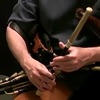
Here's the best way to hold the iPhone for playing:
Support the iPhone between the top of the palm on the left and the thumb and little finger on the right. This allows the fingers to reach all the buttons. The iPhone can face up or away from you.
On the left hand,the closest buttons are played with your left index finger, the next farthest with your middle finger, the next farthest with your ring finger and the farthest with your little finger. On the right, the closest buttons are played with your right index finger, the next farthest with your middle finger, and the farthest with your ring finger.
The button layout is based on a 17-key modified Jeffries style for playing traditional Irish dance tunes in the most common keys.
Uses extremely high-quality audio samples recorded from a high-end Anglo concertina.
The instrument is bisonoric, meaning it plays a different note for each button depending on whether you are pushing or pulling on the bellows.
A C/G instrument has one row of buttons where the push notes make a C chord and on the other row make a G chord. The pull notes provide the scale tones between the chord notes. The third row on the right side of the app is used for additional accidentals not found in the scales on the other two rows.
The C/G tuning is the most commonly used when playing tunes with other instruments like fiddles, flutes, and whistles in their standard D tuning.
To play, simply tip to the left for a bellows push note, or to the right for a bellows pull note, and press a button. The PUSH/PULL display shows which direction the bellows is moving.
Touch the "?" icon to show the note names.
You may reverse the bellows while pushing a button simply by tipping in the opposite direction.
Touch the "i" icon to show the settings where you may adjust the transposition, tilt sensitivity, push/pull tilt direction, and right-side chromatic row configuration.
You may transpose the pitch up or down up to one octave in semitone increments.
Touch the number to the right of the transpose slider to reset the transpose to zero.
For a Bb/F instrument, set the transpose to -2, for an A/E, set the transpose to -3.
For a Bass Baritone instrument, one octave lower than a standard C/G instrument, set the transpose to -12.
When transposed, the note labels do not change, just the pitch produced.
Here's the best way to hold the iPhone for playing:
Support the iPhone between the top of the palm on the left and the thumb and little finger on the right. This allows the fingers to reach all the buttons. The iPhone can face up or away from you.
On the left hand,the closest buttons are played with your left index finger, the next farthest with your middle finger, the next farthest with your ring finger and the farthest with your little finger. On the right, the closest buttons are played with your right index finger, the next farthest with your middle finger, and the farthest with your ring finger.
The button layout is based on a 17-key modified Jeffries style for playing traditional Irish dance tunes in the most common keys.
Uses extremely high-quality audio samples recorded from a high-end Anglo concertina.
Latest updates
3.0
You may now transpose the pitch up or down up to one octave in semitone increments.
Touch the number to the right of the transpose slider to reset the transpose to zero.
For a Bb/F instrument, set the transpose to -2, for an A/E, set the transpose to -3.
For a Bass Baritone instrument, one octave lower than a standard C/G instrument, set the transpose to -12.
When transposed, the note labels do not change, just the pitch produced.