Uilleann - Irish Bagpipes
Not in any tracked top chart right now.
Updated 24 Oct 2026 · rankings refresh through the day
DeveloperMichael Eskin
CategoryMusic
Price4.99 GBP
Released
Rating★ 2.0 (4)
Version8.7
Age rating4+
First seen by us 23 Oct 2026
23 Oct 2026Rating
2.0 ★
4 ratings
Measured
Uilleann - Irish Bagpipes on the App Store
App details
App ID
480235326
Publisher
Michael Eskin
On the store since
Nov 2011
14 years on the store
Minimum OS
iOS 10.0+
Devices
iPad
Content rating
4+
Languages
1
EN
Size
45 MB
Also listed in
Education
Where it ranks now
Every top chart it appears in across 30 countries.
| Country | Charts | Rank |
|---|---|---|
| Not charting right now. | ||
Ratings
App Store, worldwide.
Rating
2.0 ★
4 ratings
Measured
Ratings
4
Measured
About Uilleann - Irish Bagpipes
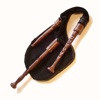
Uilleann is an extremely authentic sounding Full Set of Traditional Irish Bagpipes that may be played like the real instrument on screen or with a hardware MIDI chanter.
The app emulates the chanter, three drones, and regulators of a full set of Uilleann pipes. It plays in all the traditional keys of D, C#, C, B, and Bb, and is fully tuneable as much as +/- 50 cents.
The Uilleann pipes are a bellows driven set of bagpipes with a two octave range.
The chanter fingerings are based on those used for the Uilleann pipes and will also be familiar and intuitive for players of the tin whistle and Irish flute.
The app supports traditional finger vibrato, and note bending effects.
MIDI Chanter Setup:
Connect your MIDI chanter first using a hardware MIDI interface, then launch the app.
Touch the MIDI icon on the lower left corner to set the MIDI channels and lowest note for your MIDI chanter (55 to 79).
MIDI default parameter values are based on the Fagerstrom Uilleann Technopipes:
Drone channel: 15
Chanter channel: 1
Lowest Note: 69
The app responds to MIDI Pitch Bend messages (two-semitone range) on the Chanter channel. The Note Bending control enables/disables the feature.
Regulator pairs respond on the next MIDI channel after the chanter starting on MIDI note 60.
MIDI settings are saved on exit.
How to Play:
IMPORTANT: Since this app requires as many as 9 fingers on the screen at the same time, before playing, disable "Multitasking Gestures" on your iPad (in the Settings app, under the General section, turn the Multitasking Gestures switch to the off position).
Touch the 'i' icon at the upper right corner of the main screen to show/hide the controls.
Touch the '?' on the upper left corner to show/hide the on-screen help labels.
Select your instrument key from the key selector and adjust the fine tuning with the tuning slider.
The number to the left of the tuning shows shows the tuning offset in cents. To reset the tuning to zero, just touch the number.
Touch the drone puck to start/stop the drones.
To play the chanter, touch the three holes of the left side of the chanter starting with the tips of your left index, middle, and ring fingers.
Next, touch the four holes on the right side of the chanter with the tips of your right index, middle, ring, and little fingers.
Touch the green "Octave" bar on the left side with your left little finger to play the notes one octave higher.
The regulators are played with the right thumb on the circles between the right side of the chanter and the bottom control bars.
Use the TB/BB select to choose between Tenor+Baritone or Baritone+Bass regulator pair chords
The chords in TB mode are as they would be on the real instrument: D, G, D, G, and A
In BB mode they are None (to align with the TB chords), G, D, G, and A
Use the Regulator Volume slider to set the balance of the regulators against the chanter and drones.
The regulators use the same Reverb Send setting as the chanter.
Optional p
The app emulates the chanter, three drones, and regulators of a full set of Uilleann pipes. It plays in all the traditional keys of D, C#, C, B, and Bb, and is fully tuneable as much as +/- 50 cents.
The Uilleann pipes are a bellows driven set of bagpipes with a two octave range.
The chanter fingerings are based on those used for the Uilleann pipes and will also be familiar and intuitive for players of the tin whistle and Irish flute.
The app supports traditional finger vibrato, and note bending effects.
MIDI Chanter Setup:
Connect your MIDI chanter first using a hardware MIDI interface, then launch the app.
Touch the MIDI icon on the lower left corner to set the MIDI channels and lowest note for your MIDI chanter (55 to 79).
MIDI default parameter values are based on the Fagerstrom Uilleann Technopipes:
Drone channel: 15
Chanter channel: 1
Lowest Note: 69
The app responds to MIDI Pitch Bend messages (two-semitone range) on the Chanter channel. The Note Bending control enables/disables the feature.
Regulator pairs respond on the next MIDI channel after the chanter starting on MIDI note 60.
MIDI settings are saved on exit.
How to Play:
IMPORTANT: Since this app requires as many as 9 fingers on the screen at the same time, before playing, disable "Multitasking Gestures" on your iPad (in the Settings app, under the General section, turn the Multitasking Gestures switch to the off position).
Touch the 'i' icon at the upper right corner of the main screen to show/hide the controls.
Touch the '?' on the upper left corner to show/hide the on-screen help labels.
Select your instrument key from the key selector and adjust the fine tuning with the tuning slider.
The number to the left of the tuning shows shows the tuning offset in cents. To reset the tuning to zero, just touch the number.
Touch the drone puck to start/stop the drones.
To play the chanter, touch the three holes of the left side of the chanter starting with the tips of your left index, middle, and ring fingers.
Next, touch the four holes on the right side of the chanter with the tips of your right index, middle, ring, and little fingers.
Touch the green "Octave" bar on the left side with your left little finger to play the notes one octave higher.
The regulators are played with the right thumb on the circles between the right side of the chanter and the bottom control bars.
Use the TB/BB select to choose between Tenor+Baritone or Baritone+Bass regulator pair chords
The chords in TB mode are as they would be on the real instrument: D, G, D, G, and A
In BB mode they are None (to align with the TB chords), G, D, G, and A
Use the Regulator Volume slider to set the balance of the regulators against the chanter and drones.
The regulators use the same Reverb Send setting as the chanter.
Optional p
Latest updates
8.7
Performance improvements.
The "Note Bending" On/Off control also now controls the enabling or disabling of reacting to MIDI Pitch Bend messages.
The app responds to MIDI Pitch Bend messages (two-semitone range) on the Chanter channel. The Note Bend control enables/disables the feature.
Regulator pairs respond on the next MIDI channel after the chanter starting on MIDI note 60.
More robust support for using the app as a sound module via CoreMIDI with other MIDI file player apps.