Place Value Explorer
Zahlen und Stellenwerte
Not in any tracked top chart right now.
Updated 27 Sep 2026 · rankings refresh through the day
DeveloperChristian Urff
CategoryEducation
Price0.99 EUR
Released
Rating★ 4.8 (5)
Version1.4
Age rating4+
First seen by us 25 Sep 2026
25 Sep 2026Installs (est.)100+ worldwide
Rating
4.8 ★
5 ratings
Measured
Place Value Explorer on the App Store
App details
App ID
1640564851
Publisher
Christian Urff
Minimum OS
iOS 18.0+
Content rating
4+
Languages
2
EN DE
Size
8 MB
Place Value Explorer downloads
Worldwide, per day, and installs to date. The band is open; the exact number is free with an account.
How this is calculated
Apple publishes no download counts. iPhone downloads come from chart positions and daily rating growth per country, calibrated on Google Play install counts; lifetime installs from ratings worldwide × installs per rating. Confidence is the chance the real number is within half to double ours.
Active users
All platforms, worldwide. Free with an account.
Stickiness (DAU / MAU)
how many monthly users open it on a given day
How this is calculated
Monthly users come from lifetime installs across every store, fitted on monthly active user figures companies publish; daily users = monthly × the typical daily/monthly ratio for the category. Confidence is the chance the real number is within half to double ours.
Where it ranks now
Every top chart it appears in across 24 countries.
| Country | Charts | Rank |
|---|---|---|
| Not charting right now. | ||
Ratings
App Store, worldwide.
Rating
4.8 ★
5 ratings
Measured
Ratings
5
Measured
About Place Value Explorer
Explore large and small numbers and discover how place value works – interactively. This is not a drill app but an open environment for exploring and experimenting.
Understanding place value is one of the most important foundations in mathematics: it underpins mental and written calculation strategies, decimals and much more.
HOW IT WORKS
Drag the digits up and down with your finger. Go beyond 9 and watch ten items bundle into one item of the next place. Go below 0 and see how the next place is "unbundled".
Swipe or tap the quantity below a digit to change it.
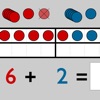
At the bottom of the screen, choose how the quantity is shown: place value counters, base-ten (Dienes) blocks, euro money, dot fields, 3D base-ten material and more.
TOOLS ON THE RIGHT
- Speaker: listen to the number being read aloud.
- Speech bubble with check mark: read the number aloud yourself and check whether you read it correctly.
- Expand: shows, for example, 142 as 100 + 40 + 2.
- Dice: roll a random new number.
- Speech bubble with dots: say a number and watch it appear.
- Question mark: some places are covered, the number is read aloud and you fill in the missing digits.
MORE OPTIONS
- Use the grey arrows to add or remove places – explore numbers up to 100 trillion.
- Move the decimal point to work with decimals down to millionths.
- Tap a place label (O, T, H …) to change its colour.
- Swipe across a digit to cover it; tap the cover to enter your answer and get feedback.
- Number words above the digits in matching place colours – optionally as "Say Ten" number words (e.g. 284 = "two hundred eight ten four").
- Many settings in the app: thousands separator, place labels, speech rate, show or hide tools and representations, protect settings.
- Share a setup or task with your class via QR code.
- English (UK/US) and German.
- Also available in the browser: zahlen.urff.app
IDEAS FOR THE CLASSROOM
- Number dictation: show 3,469.
- Keep adding one to the ones. What happens when you go past 9?
- Show 340. What happens when you take one away from the ones? What about 300?
- Show 5,216 and expand it: which numbers make it up (5,000 + 200 + 10 + 6)? What about 5,316?
- Listen to a number, then change one place. Can you read the new number correctly?
- Tap the question mark and solve some tasks – the app counts them for you.
- Why does the leading zero in 0453 disappear? Why does the zero stay in 204 or 240?
Understanding place value is one of the most important foundations in mathematics: it underpins mental and written calculation strategies, decimals and much more.
HOW IT WORKS
Drag the digits up and down with your finger. Go beyond 9 and watch ten items bundle into one item of the next place. Go below 0 and see how the next place is "unbundled".
Swipe or tap the quantity below a digit to change it.
At the bottom of the screen, choose how the quantity is shown: place value counters, base-ten (Dienes) blocks, euro money, dot fields, 3D base-ten material and more.
TOOLS ON THE RIGHT
- Speaker: listen to the number being read aloud.
- Speech bubble with check mark: read the number aloud yourself and check whether you read it correctly.
- Expand: shows, for example, 142 as 100 + 40 + 2.
- Dice: roll a random new number.
- Speech bubble with dots: say a number and watch it appear.
- Question mark: some places are covered, the number is read aloud and you fill in the missing digits.
MORE OPTIONS
- Use the grey arrows to add or remove places – explore numbers up to 100 trillion.
- Move the decimal point to work with decimals down to millionths.
- Tap a place label (O, T, H …) to change its colour.
- Swipe across a digit to cover it; tap the cover to enter your answer and get feedback.
- Number words above the digits in matching place colours – optionally as "Say Ten" number words (e.g. 284 = "two hundred eight ten four").
- Many settings in the app: thousands separator, place labels, speech rate, show or hide tools and representations, protect settings.
- Share a setup or task with your class via QR code.
- English (UK/US) and German.
- Also available in the browser: zahlen.urff.app
IDEAS FOR THE CLASSROOM
- Number dictation: show 3,469.
- Keep adding one to the ones. What happens when you go past 9?
- Show 340. What happens when you take one away from the ones? What about 300?
- Show 5,216 and expand it: which numbers make it up (5,000 + 200 + 10 + 6)? What about 5,316?
- Listen to a number, then change one place. Can you read the new number correctly?
- Tap the question mark and solve some tasks – the app counts them for you.
- Why does the leading zero in 0453 disappear? Why does the zero stay in 204 or 240?
Latest updates
1.4
New in 1.4
- English version with English number words, speech output and speech input – including "Say Ten" number words
- Settings right in the app: thousands separator, place labels, number words, speech rate; show or hide tools and representations
- Share a setup or task with your class via QR code
- Protect settings (long press)
- Smoother animations and many improvements