Tin Whistle - Pennywhistle
Tin Whistle - Pennywhistle is #134 in Music Paid in Canada and charting in 1 of 24 countries we track.
Updated 27 Sep 2026 · rankings refresh through the day
DeveloperMichael Eskin
CategoryMusic
Price0.99 CAD
Released
Rating★ 1.0 (1)
Version2.5
Age rating4+
First seen by us 25 Sep 2026
25 Sep 2026Rating
1.0 ★
1 ratings
Measured
Best rank now
#134
Music PaidMeasured
Tin Whistle - Pennywhistle on the App Store
App details
App ID
1275232622
Publisher
Michael Eskin
Content rating
4+
Where it ranks now
Every top chart it appears in across 24 countries.
| Country | Charts | Rank |
|---|---|---|
| Canada | MusicPaid | #134 |
Apps near Tin Whistle - Pennywhistle on the chart
Music Paid, around #134.





Ratings
App Store, worldwide.
Rating
1.0 ★
1 ratings
Measured
Ratings
1
Measured
About Tin Whistle - Pennywhistle
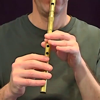
Tin Whistle is an easy to play and authentic sounding High-D Irish Tin Whistle / Pennywhistle! It can also be played from a MIDI chanter, keyboard, or other MIDI apps.
The instrument is commonly used in Traditional Irish Music.
The sounds are based on per-note samples from my own whistle collection.
Touch the notes on the whistle to play.
Like a real tin whistle, only one note may be played at a time.
Touch the grey blocks next to the whistle to jump to the second octave.
Touch the "?" to show/hide the labels.
Touch the "i" to bring up the setting page where you can set the MIDI channel and bottom note.
MIDI Chanter control for the Fagerström Uilleann Technopipes and other MIDI chanters:
Connect your MIDI chanter or keyboard first to your iPhone using a hardware MIDI interface, then launch Tin Whistle
MIDI range is chromatic over the complete two-octave range of the instrument.
Use the "Channel" control to set your controller's output MIDI channel.
Use the "Use Lowest Note Setting" switch setting to enable / disable the bottom note offset for use with MIDI keyboards and chanters.
When OFF, uses D3 (MIDI Note 62). This is best for use with keyboards.
When ON, set the lowest MIDI note (default is for the Fagerström Uilleann Technopipes 69 - A3) to match your MIDI chanter lowest note. Range is from MIDI note 55 to 79.
MIDI pitch bend response is based on the setting of the "Pitchbend Semitones" slider. Range is from 0 to 12 semitones. Default is 2 semitones.
Also works as a sound module for other MIDI file player apps.
The instrument is commonly used in Traditional Irish Music.
The sounds are based on per-note samples from my own whistle collection.
Touch the notes on the whistle to play.
Like a real tin whistle, only one note may be played at a time.
Touch the grey blocks next to the whistle to jump to the second octave.
Touch the "?" to show/hide the labels.
Touch the "i" to bring up the setting page where you can set the MIDI channel and bottom note.
MIDI Chanter control for the Fagerström Uilleann Technopipes and other MIDI chanters:
Connect your MIDI chanter or keyboard first to your iPhone using a hardware MIDI interface, then launch Tin Whistle
MIDI range is chromatic over the complete two-octave range of the instrument.
Use the "Channel" control to set your controller's output MIDI channel.
Use the "Use Lowest Note Setting" switch setting to enable / disable the bottom note offset for use with MIDI keyboards and chanters.
When OFF, uses D3 (MIDI Note 62). This is best for use with keyboards.
When ON, set the lowest MIDI note (default is for the Fagerström Uilleann Technopipes 69 - A3) to match your MIDI chanter lowest note. Range is from MIDI note 55 to 79.
MIDI pitch bend response is based on the setting of the "Pitchbend Semitones" slider. Range is from 0 to 12 semitones. Default is 2 semitones.
Also works as a sound module for other MIDI file player apps.
Latest updates
2.5
Bug fixes and performance improvements.