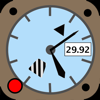
Aviation Altimeter for Watch
Aviation Altimeter for Watch is #150 in Lifestyle Paid in Poland and charting in 2 of 30 countries we track.
Updated 25 Oct 2026 · rankings refresh through the day
 29 Sep 2026
 Lifestyle Paid
Aviation Altimeter for Watch on the App Store
App details
Aviation Altimeter for Watch downloads
Worldwide, per day, and installs to date. The band is open; the exact number is free with an account.
How this is calculated
Where Aviation Altimeter for Watch's downloads come from Modelled
Last 30 days: organic search, browsing the store, features and paid ads.
Active users
All platforms, worldwide. Free with an account.
How this is calculated
Where it ranks now
Every top chart it appears in across 30 countries.
| Country | Charts | Rank |
|---|---|---|
| Poland | LifestylePaid | #150 |
 Colombia Colombia | LifestylePaid | #192 |
Apps near Aviation Altimeter for Watch on the chart
Lifestyle Paid, around #150.








Ratings
App Store, worldwide.
What users say about Aviation Altimeter for Watch
From the 12 most recent App Store reviews in the US.
Users highly praise the developer's responsiveness and the app's accuracy when functioning correctly on supported devices. However, significant complaints persist regarding compatibility issues with newer Apple Watch models and bugs affecting watch face complications.
Mostly positive (75% of recent reviews give 4–5 stars). People like it for being useful, and regular updates. Recent reviews are more negative than earlier ones.
What people like
- Useful: “Works well...when on the face”
- Updates: “Digit clipping is fixed in latest version”
- Crashes & bugs: “Unless this is user error (which is certainly a possibility), it’s not nearly as useful as it could be”
About Aviation Altimeter for Watch
A complete, full-featured aviation altimeter running inside your Apple Watch Series 3 or higher!
A real barometric Altimeter, not GPS-based. Authenticl Altimeter dial with digital readout!
This altimeter allows you to set the field altimeter setting (QNH). The Altitude can be displayed in Feet, Meters, or Flight Level. You can also display the raw barometric pressure. The Kollsman window allows setting the local pressure in either inches of mercury or hectoPascals (millibars). Completely International!
Once you load the App from your phone and set your preferences with the companion iPhone App, the watch Altimeter is completely independent of the phone. Use this App without a phone nearby and without any internet connection. Set Preferences directly on the watch by Swiping left.
Swipe to the right and see your current density altitude by using the watch crown to set the ambient temperature.
Tap the AltAlert button and set a desired target altitude and range. The will show you graphically when you go out of bounds.
An extra bonus feature is an oxygen alarm to remind you haptically and visually when you exceed 12,500 ft. The alarm only functions when the Altimeter App is running on the face of the watch!
This app is Flight Tested, but NOT FAA TSO-certificated and can not be used as a primary flight instrument!
This App only works on Apple Series 3 and later Watches! Remember to allow the app to use the Fitness & Motion sensors in "Settings"
Tl;dr:
Swipe left to change Units, swipe right for Density Altitude, tap the left button to adjust the Station Pressure. Tap the right button for Alert Alert settings