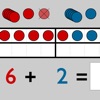
Twenty frame for iPad
Zwanzigerfeld für iPad
Not in any tracked top chart right now.
Updated 27 Sep 2026 · rankings refresh through the day
DeveloperChristian Urff
CategoryEducation
Price3.99 EUR
Released
Rating★ 5.0 (2)
Version2.7
Age rating4+
First seen by us 26 Sep 2026
26 Sep 2026Rating
5.0 ★
2 ratings
Measured
Twenty frame for iPad on the App Store
App details
App ID
556083423
Publisher
Christian Urff
Minimum OS
iOS 6.0+
Content rating
4+
Languages
2
EN DE
Size
19 MB
Where it ranks now
Every top chart it appears in across 24 countries.
| Country | Charts | Rank |
|---|---|---|
| Not charting right now. | ||
Ratings
App Store, worldwide.
Rating
5.0 ★
2 ratings
Measured
Ratings
2
Measured
About Twenty frame for iPad
You can check the free online-version of the twenty frame at www.lernsoftware-mathematik.de/prototypen/zwanzigerfeld.html before
The learning tool provides a virtual math manipulative for exploring and understanding basic math operations (addition, subtraction). You can manipulate the virtual double-sided counts in a five-structured twenty frame and observe the effects to the addition or subtraction term. Over the observation and manipulation of multiple representations the child gets a (deeper) unterstanding of the basic math operations. This helps especially children with dyscalculie..
To see how to use the twenty frame and all it's possibilities, watch the video at: http://www.youtube.com/watch?v=mWAxGLGoVDo.
The virtual tool doesn't provide tasks, but it can be used to solve and visualize school or homework tasks.
The learning tool provides a virtual math manipulative for exploring and understanding basic math operations (addition, subtraction). You can manipulate the virtual double-sided counts in a five-structured twenty frame and observe the effects to the addition or subtraction term. Over the observation and manipulation of multiple representations the child gets a (deeper) unterstanding of the basic math operations. This helps especially children with dyscalculie..
To see how to use the twenty frame and all it's possibilities, watch the video at: http://www.youtube.com/watch?v=mWAxGLGoVDo.
The virtual tool doesn't provide tasks, but it can be used to solve and visualize school or homework tasks.
Latest updates
2.7
Ready for iOS 11 (64 Bit)!